
Imfuna · Bolt-on
Know every inspection happened. Prove it in two clicks.
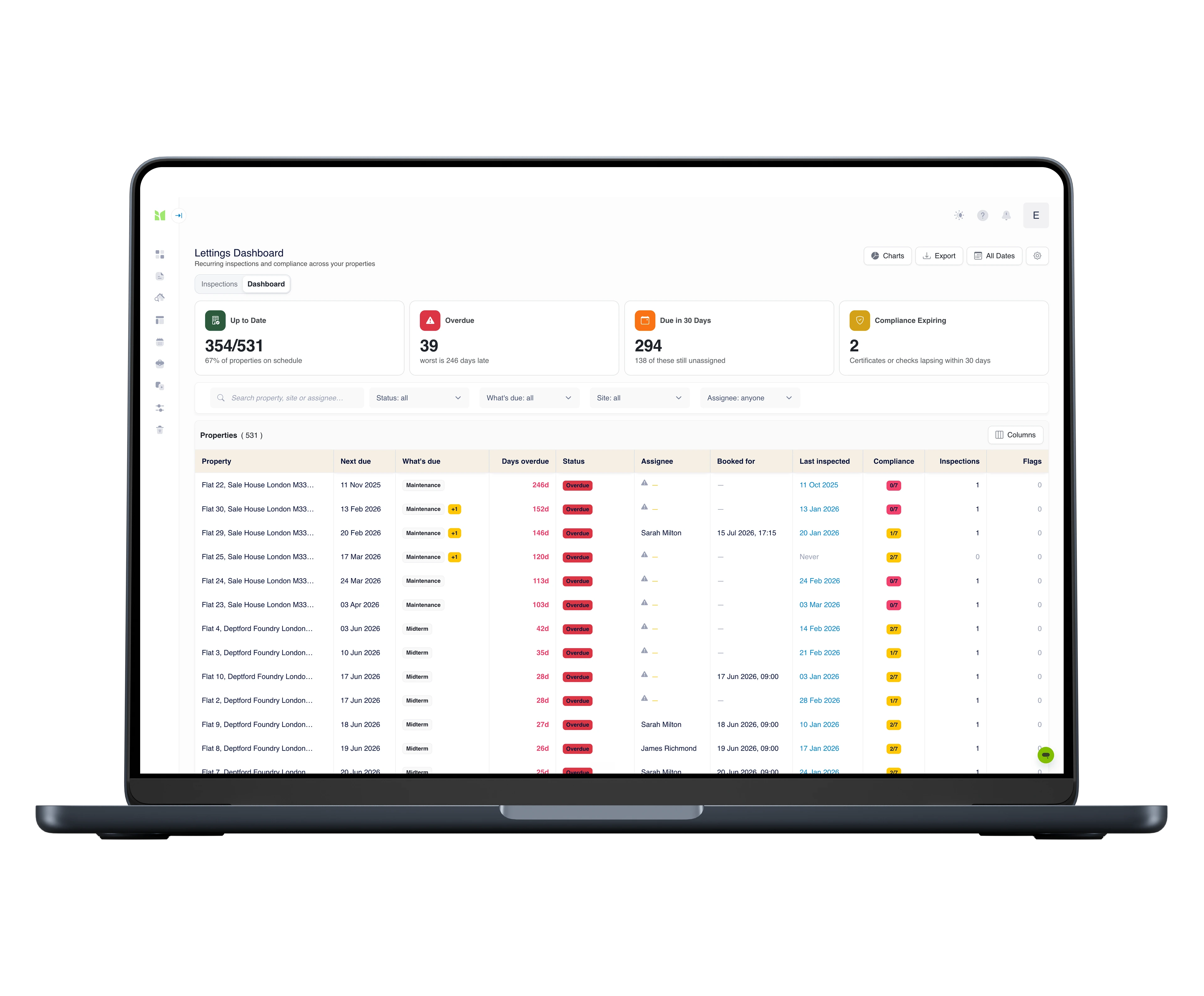
Recurring inspections don’t manage themselves. The Compliance Dashboard shows every property you manage in one place - what’s due, who’s doing it, and the evidence it was done.
First 30 days free · Pricing with your demo
- Since 2009
- Building the property record
- 99.9%+
- Platform uptime, every year
- Cyber Essentials
- Certified
- RICS
- Tech Partner
Sound familiar?
Every lettings operation we speak to is running the same workaround.
The spreadsheet
Inspection dates in a file only one person maintains - and it’s never quite current.
The handover
Your best coordinator hands in their notice, and the schedule walks out with them.
The surprise
Nobody notices a midterm is overdue until somebody goes looking.
The outsourcing tax
Compliance checks sent to contractors because you can’t evidence doing them in-house.
The scramble
A dispute or an audit arrives, and assembling the proof takes an afternoon.
The drift
Twenty sites, twenty ways of working, and no way to see which one is slipping.
Schedule it. Book it. Imfuna prompts. The inspection proves it.
Schedule
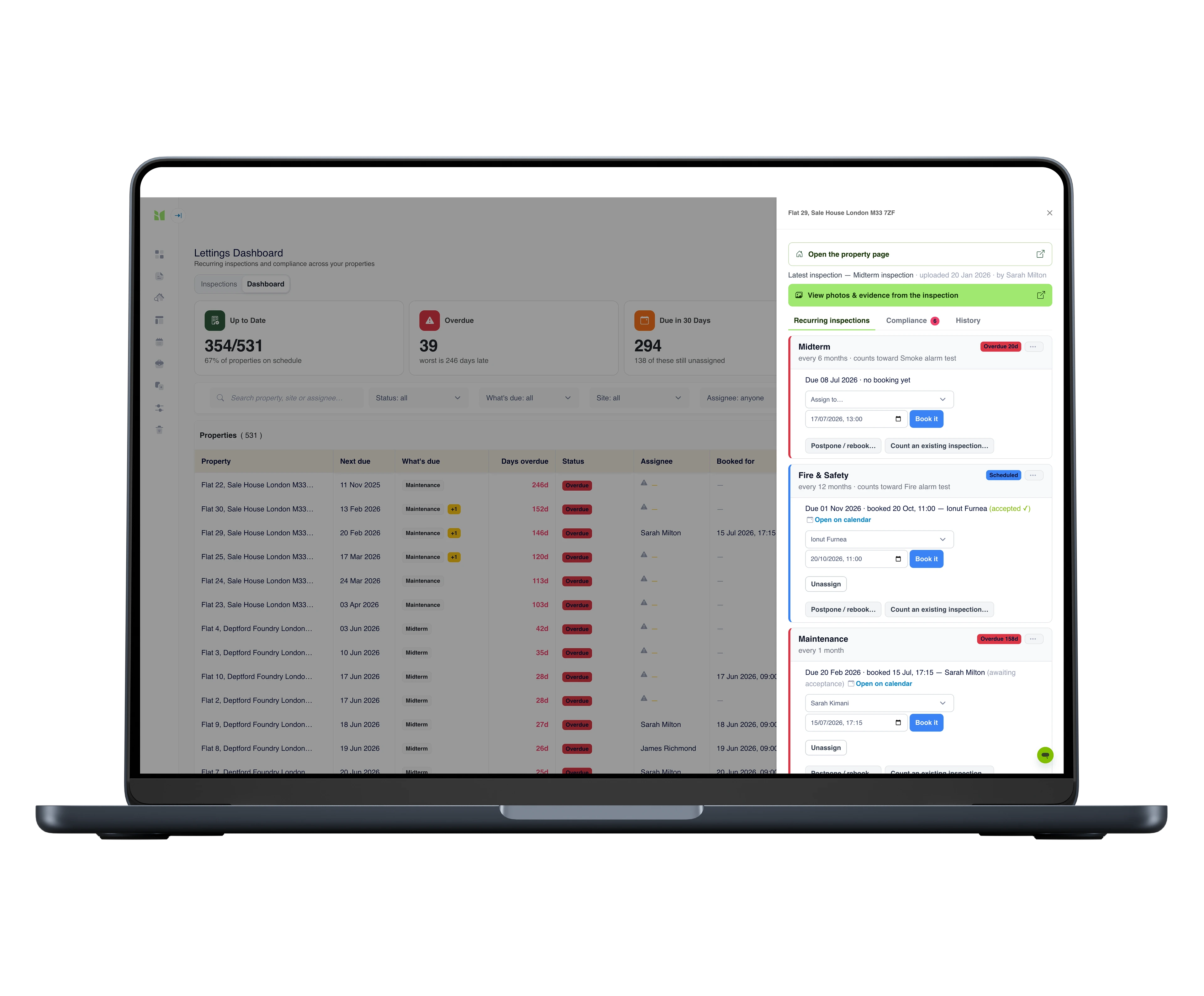
Each property carries its own recurring requirements - from weekly safety checks to annual certificate renewals.
Book
Assigning writes a real booking. The inspector picks it up in the bookings calendar and works it in the app.
Prompt
Imfuna prompts whoever has inspections due or overdue - before anyone has to ask.
Prove
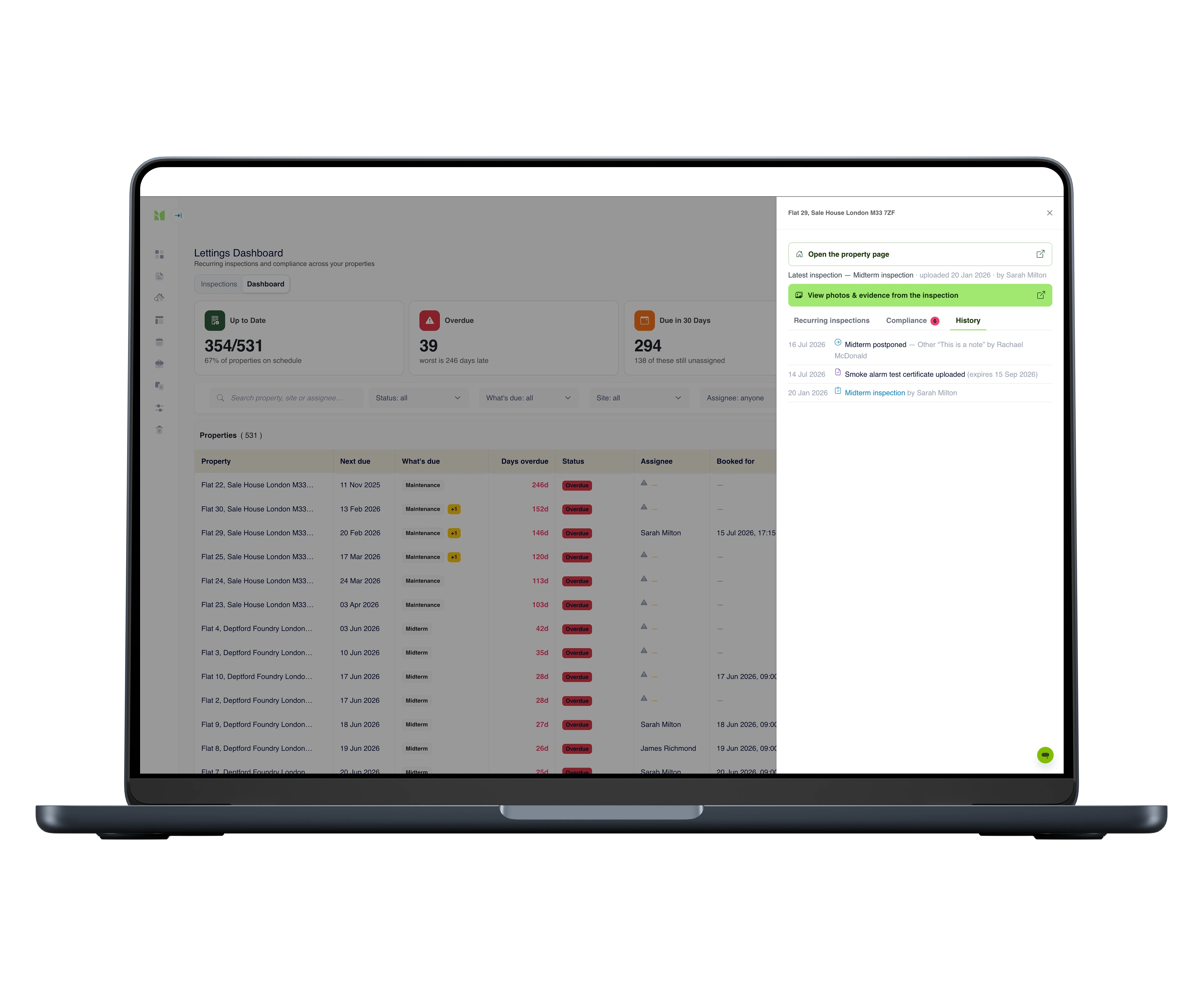
The uploaded inspection is the evidence - dated, photographed, and two clicks from the property row.
Organise the operation around one screen
People join, people leave, some of the work you outsource. The schedules, the bookings, the evidence and the workload all live in one place, so the operation stays compliant while the team changes around it.
Schedules
Every property on its own schedule
A weekly safety check, a monthly maintenance walk, a quarterly fire-exit test, an annual certificate renewal - each property carries the recurring inspections it needs, each on its own cadence. Imfuna watches the dates so nobody else has to.
Bookings
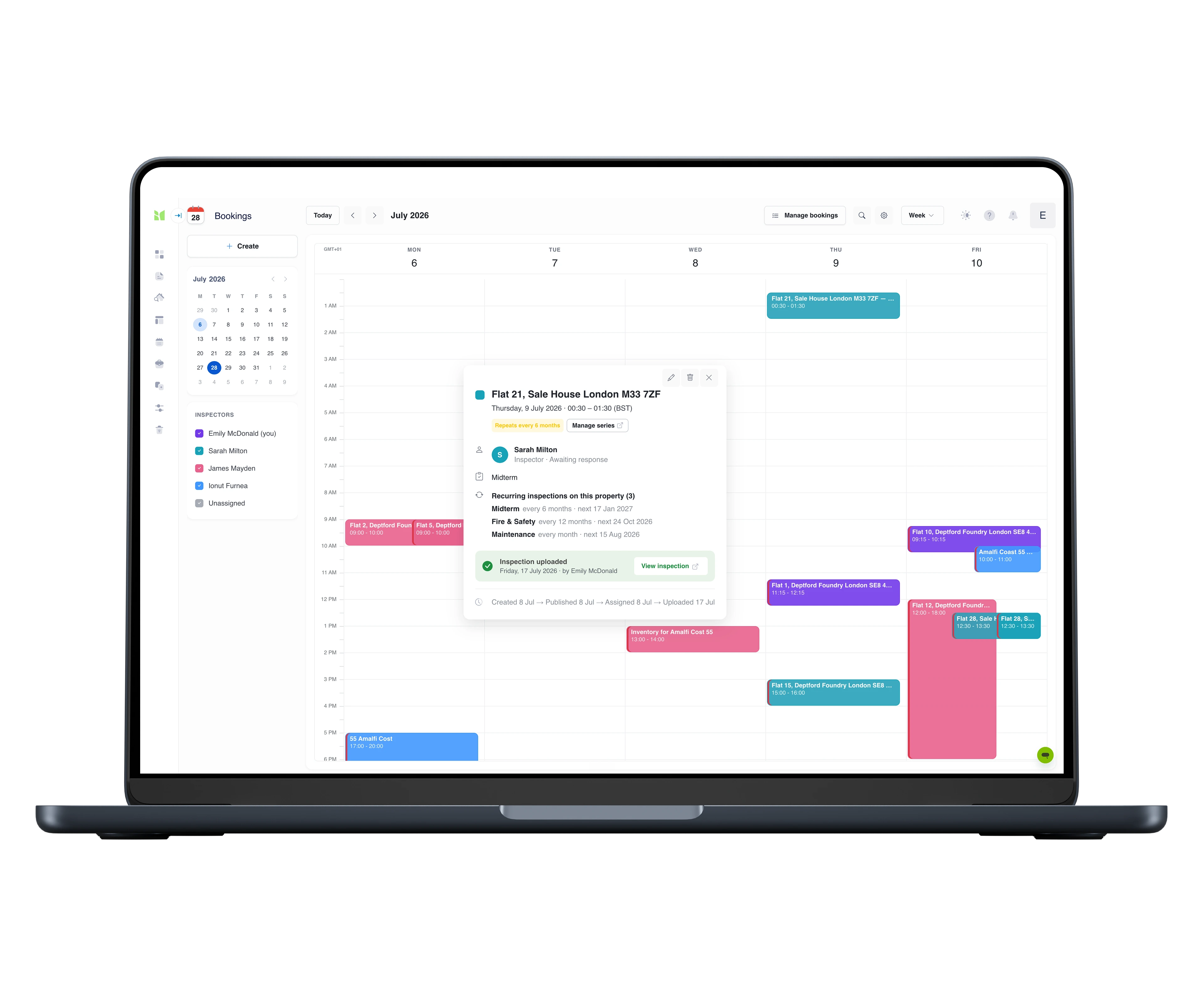
One bookings calendar for the whole team
Colour per inspector, drag to move, repeat to schedule a recurring series. Each booking emails the inspector an invitation with a calendar file they can add to Outlook, Google or Apple Calendar - whether they’re on your payroll or a contractor’s.
- Assign from the dashboard or drag on the calendar - same booking either way
- Inspectors accept, decline or comment on each booking; managers see who hasn’t responded
Workload
Everyone's day, at a glance
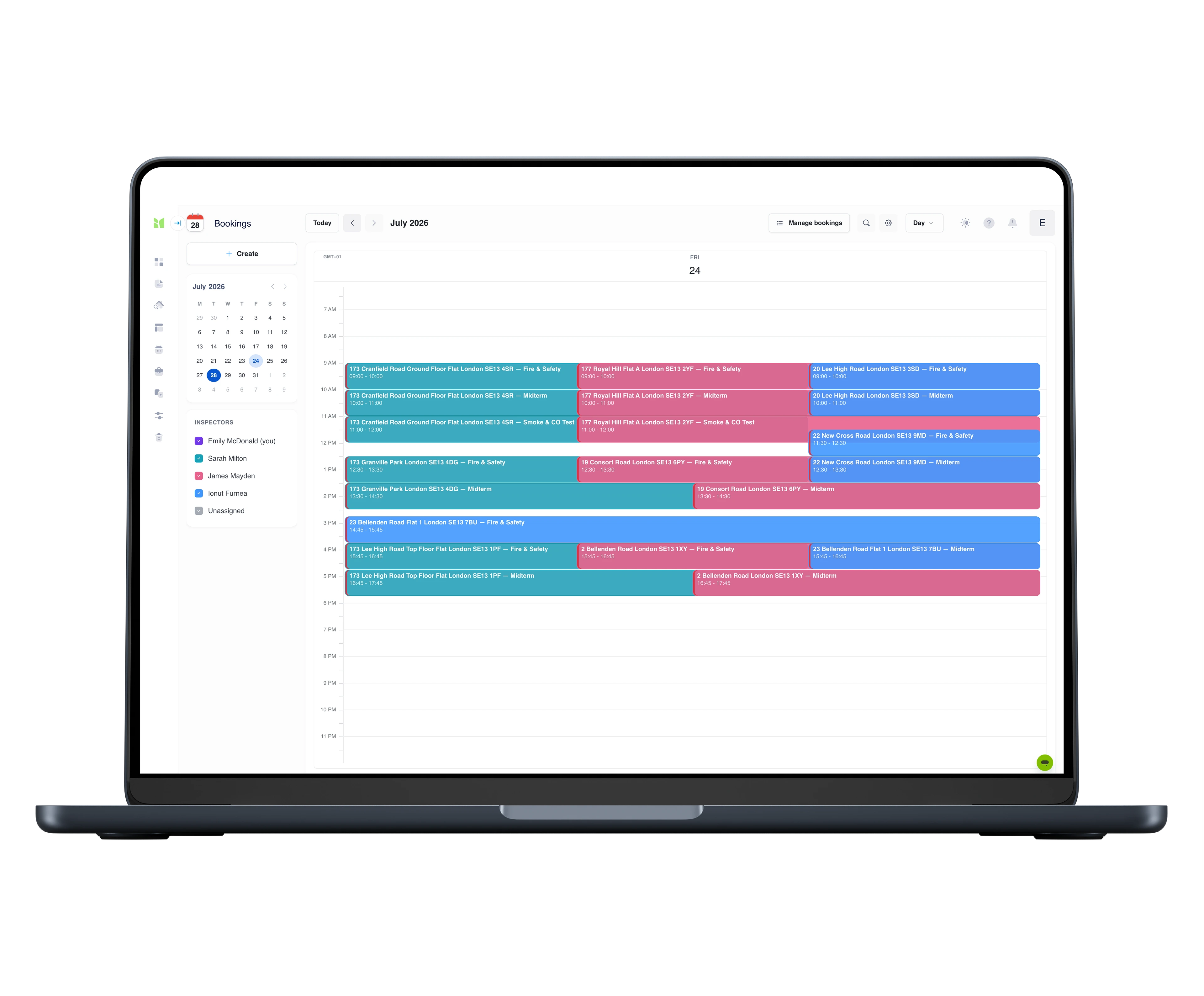
The diary answers the operational questions without a meeting: who is out today, where, doing what, and who has room for one more. Colour per inspector, show or hide people, and a day view that stays readable when the schedule is dense.
- Colour-coded per inspector, with show and hide per person
- Day, week and month views - however full the diary gets
Alerts
A weekly email that sorts everyone's Monday
Every Monday at 8am, Imfuna emails each inspector their own list for the week - what’s due, what’s overdue and by how many days - and emails each manager the rollup, including the warning that matters most: work nobody has been assigned to yet. When something goes overdue, it escalates.
- Been away two weeks? The overdue view is your catch-up list, worst first
Compliance register
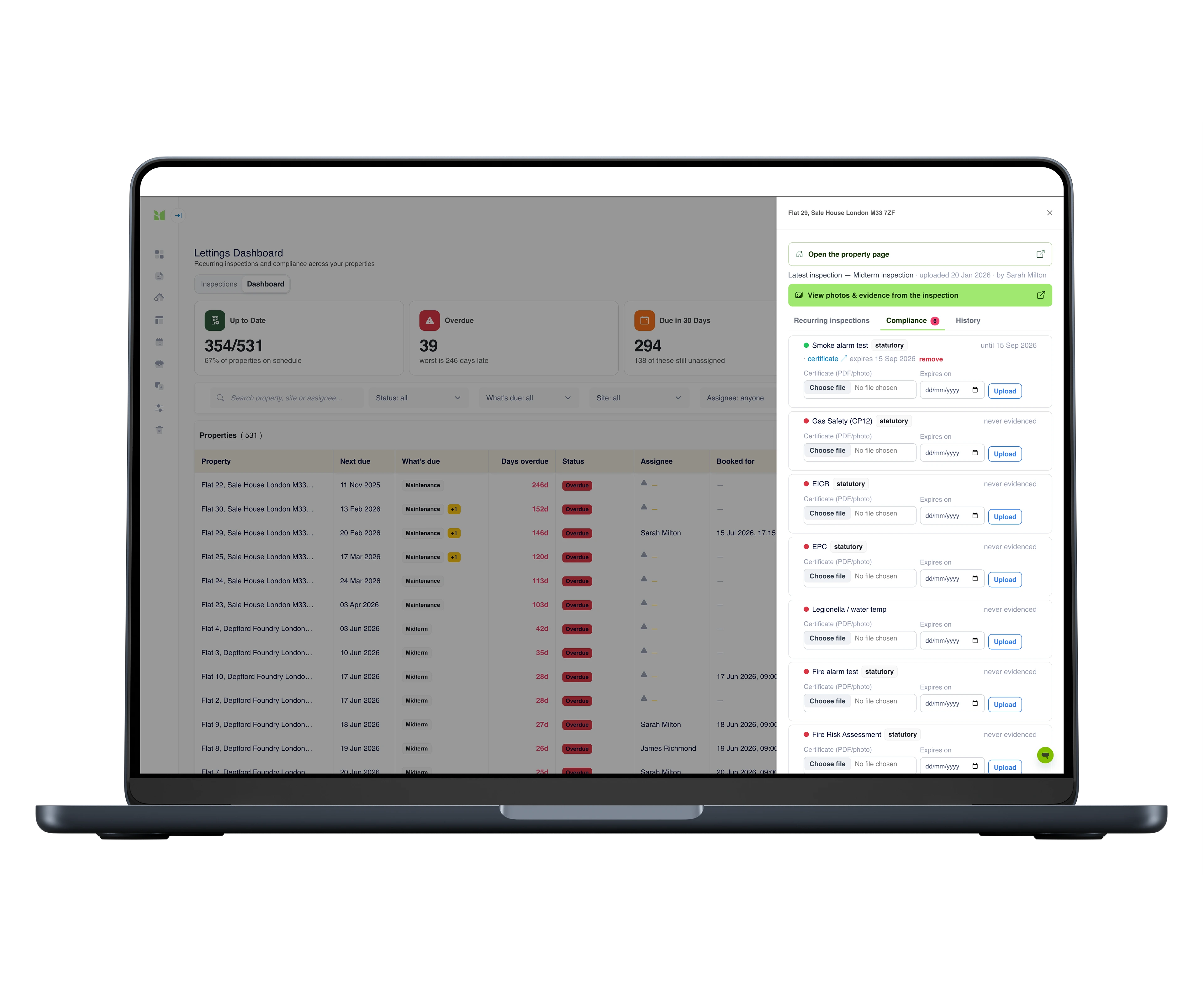
The proof, already attached
Smoke alarms, safety certificates, electrical checks, fire alarm - every compliance requirement tracked per property, satisfied either by a certificate with its expiry date or by evidence captured inside an inspection your team was doing anyway. It goes amber before it goes red, and proving it is a click, not a search.
Issues & evidence
Fixed - with twelve days to spare
A flagged defect becomes an issue with a status, an assignee and, where the law demands it, a remediation deadline that ticks on the dashboard. The fix is a re-inspection: photographed, timestamped, GPS-stamped - and the issue resolves itself with the evidence attached. Nothing ever silently disappears; the property’s timeline holds raised → booked → fixed, permanently.
- “We inspected three months ago and nothing was raised - here’s the inspection.”
Sites
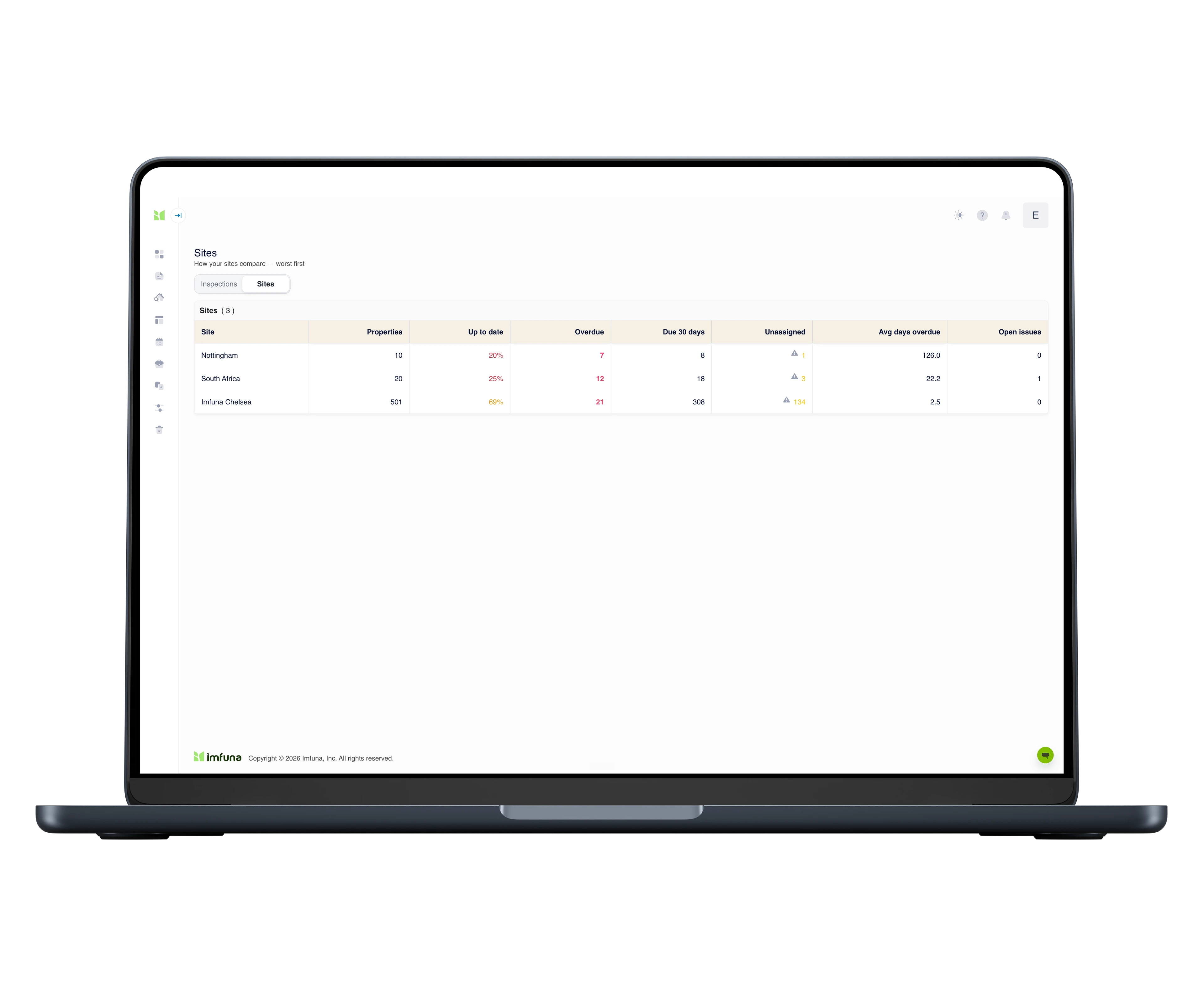
See which building is drifting
The sites view is a league table - one row per building: how much is up to date, what’s overdue, what’s due in the next 30 days, and where nobody has been assigned. The answer to “which site needs attention?” in one glance.
Charts & exports
See the whole operation, not just the numbers
The dashboard view turns the property rows into charts: portfolio health, overdue by site, due by inspection type, flags, and workload by assignee. What the numbers only imply becomes visible in a glance - which site is slipping, who is overloaded, what kind of work is piling up.
- Live tiles up top: up to date, overdue, due in 30 days, expiring compliance
- Export it as a PDF for the board pack, or download it as Excel
Built with the people who run it
A 20-site build-to-rent operator
Twenty buildings, each in its own company, and a portfolio that doubled in two years. Their compliance lead has been a design partner since January - the schedules, the compliance register and the sites league table are all shaped around how their operation actually runs, not how we imagined it might.
An in-house lettings & maintenance team
Runs its inspections off a general-purpose task board today. Their brief was specific: weekly safety checks and annual certificate renewals on the same property, and a flagged defect that travels all the way to fixed - with photographic evidence an authority will accept. That brief is what the dashboard delivers.
Who it's for
Compliance & operations leads
See what's overdue across the whole portfolio, assign the gaps in a couple of clicks, and let Imfuna prompt the right people.
Inspection coordinators
Plan the week's inspections and book them into inspectors' calendars - your own team or contractors. Each row turns green as the completed inspections come in.
Directors & portfolio owners
A live view of compliance across every site - the sites league table drops straight into a board pack.
Any Imfuna platform
The dashboard attaches to any Imfuna account - Let, Rent, Surveyor or Home Inspector. Wherever inspections recur, the register, bookings and prompts follow.
Questions we get
Which plans include the Compliance Dashboard?
It’s available as an add-on across the Imfuna platforms - see your market’s pricing page, or book a demo and we’ll set it up with pricing for your portfolio.
I’m not in lettings - can I still use it?
Yes. The dashboard attaches to any Imfuna platform - Let, Rent, Surveyor or Home Inspector. If your work involves recurring inspections - planned maintenance rounds, periodic condition checks, certificate renewals - the schedules, register and prompts work the same way. Pricing sits on each market’s pricing page.
What does setup involve?
The dashboard works with the properties already in your Imfuna account - there’s no migration. Setup means giving each property its recurring requirements (which inspections it needs, and how often) and assigning who does them. Bookings and prompts follow automatically.
Do we have to change how we inspect?
No. Inspections are carried out in the Imfuna app exactly as they are today. The dashboard adds the layer around them: the schedules, the bookings, the prompts and the compliance status of every property.
Will we know about a problem before it becomes overdue?
Yes. Every Monday morning, each inspector receives their list for the week and each manager a summary covering anything due, overdue or not yet assigned. If something does go overdue, both the inspector and their manager are notified.
Can contractors use it?
Yes. Inspections can be assigned to anyone who inspects for you, in-house staff or contractors. They receive a booking by email - with a calendar file they can add to their own calendar - complete the inspection in the Imfuna app, and the property’s status updates when they upload it.
What happens when a team member leaves?
Schedules, bookings, evidence and history belong to your account, not to individual users. When someone leaves, reassign their inspections to a colleague and everything continues uninterrupted.
Is there a free trial?
Yes. The first 30 days are free - enough time to set up your schedules, make real bookings and receive your first weekly digest before deciding.
Plans and pricing live on the full pricing page →
See it running, end to end
Book a walkthrough and we’ll drive the dashboard live on a working portfolio - the schedules, the bookings, the prompts and the evidence - then map it to how your operation runs. It takes half an hour.