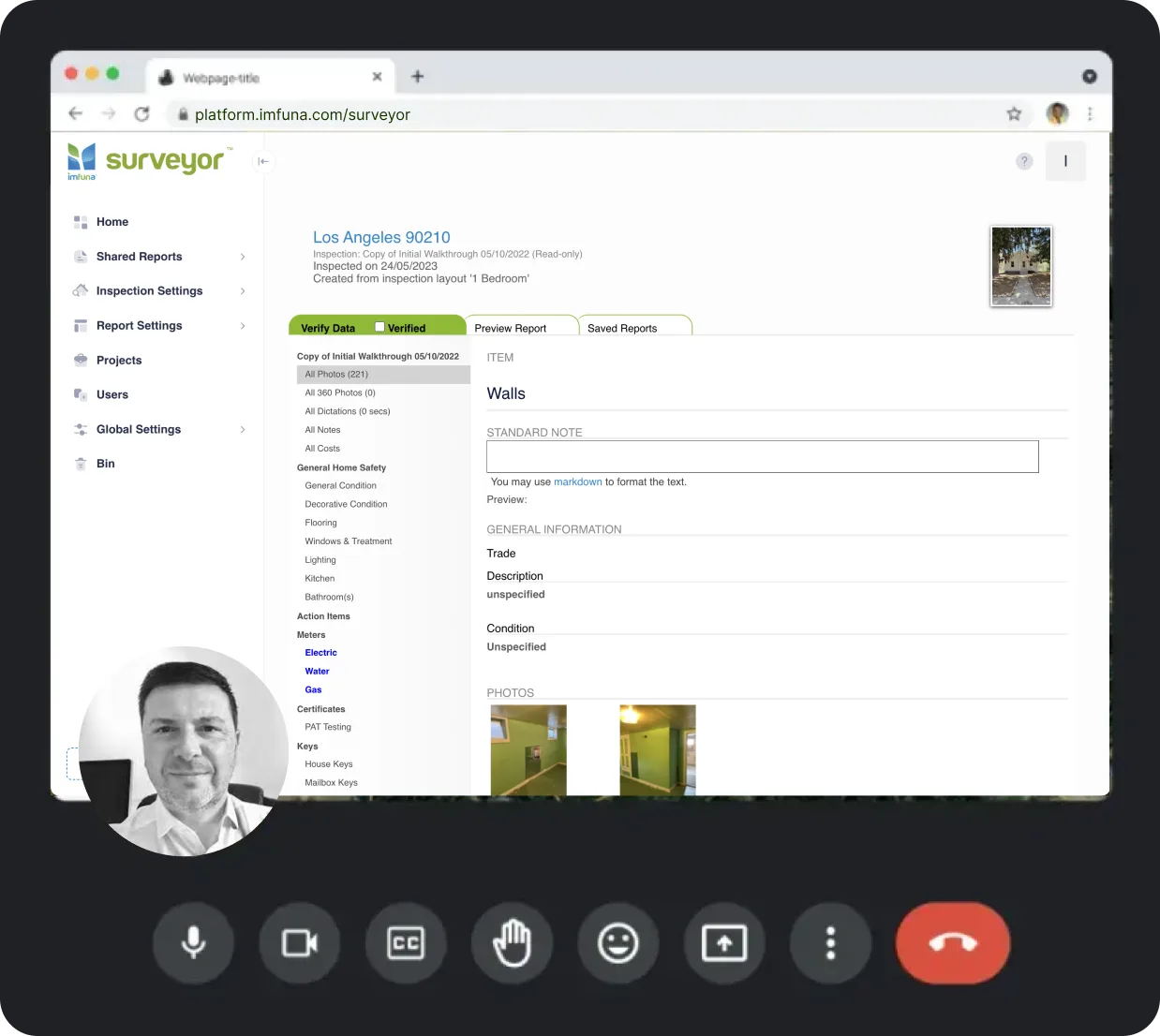
Imfuna Rent
Try it free. Scale to any portfolio.
Starter
For individual landlords with a small portfolio
- Up to 100 PropertiesUp to 100 properties on the account at any one time, with unlimited inspections against each.
- Up to 3 UsersUp to 3 users can work in the account, capturing inspections and publishing reports.
- Unlimited ReportsGenerate and download as many reports as you need.
- Unlimited PhotosUnlimited photos on every inspection - no storage limits.
- Live Onboarding & TrainingLive online onboarding training for your whole team, included on every plan - and not only at the start: anyone who joins later can request the same training at any time.
- 40¢ per additional propertyEach property beyond your plan’s limit adds 40¢ to your next bill.
- AI Speech-to-TextBolt-onAdd AI Speech-to-Text for $25 per user per month: unlimited dictation, transcribed automatically - speak your observations and they come back as report-ready text in seconds.
Professional
For small teams with a growing portfolio
- Up to 250 PropertiesUp to 250 properties on the account at any one time, with unlimited inspections against each.
- Up to 5 UsersUp to 5 users can work in the account, capturing inspections and publishing reports.
- 30¢ per additional propertyEach property beyond your plan’s limit adds 30¢ to your next bill.
- AI Speech-to-TextBolt-onAdd AI Speech-to-Text for $25 per user per month: unlimited dictation, transcribed automatically - speak your observations and they come back as report-ready text in seconds.
- Compliance DashboardBolt-onAdd the Compliance Dashboard for $65/month: recurring inspection schedules per property, a compliance register with certificate expiry, and overdue alerts. First 30 days free.
- Portfolio DashboardBolt-onAdd the Portfolio Dashboard for $199/month per account: every flagged issue from every inspection in one filterable, costed grid, one click from the evidence. First 30 days free.
Business
For established property management companies
- Up to 500 PropertiesUp to 500 properties on the account at any one time, with unlimited inspections against each.
- Up to 10 UsersUp to 10 users can work in the account, capturing inspections and publishing reports.
- 25¢ per additional propertyEach property beyond your plan’s limit adds 25¢ to your next bill.
- Dedicated Customer ManagerA named customer manager who knows your account - one person to contact for setup, training and anything operational.
- AI Speech-to-TextBolt-onAdd AI Speech-to-Text for $25 per user per month: unlimited dictation, transcribed automatically - speak your observations and they come back as report-ready text in seconds.
- Compliance Dashboard includedIncluded with Business at no extra cost: recurring inspection schedules per property, a compliance register with certificate expiry, overdue alerts and the site-by-site ranking.
- Portfolio DashboardBolt-onAdd the Portfolio Dashboard for $399/month per account (accounts with 6 or more users): every flagged issue from every inspection in one filterable, costed grid, one click from the evidence. First 30 days free.
Enterprise
For groups running 1,000+ properties across branches or companies
- 1,000+ PropertiesFor portfolios of 1,000+ properties, with unlimited inspections.
- Unlimited UsersNo per-seat limit - add as many users as your organization needs.
- Multi-Branch BillingChoose between centralized payments under one branch, or have each branch manage its own usage and costs.
- On-site onboarding & training in your quoteLive online training is included on every plan. On-site onboarding and training at your offices can be part of a Enterprise agreement - scoped in your quote around team size and locations.
- AI Speech-to-Text in your quoteUnlimited dictation, transcribed automatically into report-ready text. Quoted as part of your Enterprise plan.
- Portfolio Dashboard in your quoteEvery flagged issue from every inspection in one filterable, costed grid. Quoted as part of your Enterprise plan.
Prices are in US dollars and exclude applicable taxes.
Looking for home inspection pricing? →Compliance Dashboard
Every property and every deadline, on one screen.
A rental portfolio runs on recurring inspections - and schedules slip. The Compliance Dashboard keeps every property's next visit, booking and certificate on one screen - without the spreadsheet, or the one person who maintains it.
Weekly · Automated scheduling and reminders
Each inspector receives their week's inspections, managers receive the portfolio summary, and overdue work is escalated automatically.
$65 · One price for the whole account
A single monthly fee covers your entire team, however many users you add. On Business the dashboard is included in the plan.
1 view · A complete operational record
Schedules, bookings, evidence and workload are held at account level, so the record stays consistent as your team changes.
$65a month · whole account
The full dashboard for $65 a month
One price for your whole account: schedules per property, the compliance register, bookings, automatic prompts.
30-day free trial
The first 30 days
Day 0 · Activation
The dashboard is enabled on your account and reads the properties already in it - you add each property's recurring inspection requirements.
Day 1 · Full visibility
One row per property: what is due, who is assigned, and what is already overdue.
Week 1 · The first weekly digest
Every inspector receives their week's inspections; managers receive the portfolio summary.
Day 14 · Your trial ends
Assess it on a full cycle: schedules, bookings, reminders and evidence.
Day 30 · Fully operational
The compliance position and evidence for any property are available in two clicks.
Portfolio Dashboard
Every flagged issue. One costed grid.
The second dashboard tracks issues rather than schedules. A portfolio's inspections flag problems faster than anyone triages them - the Portfolio Dashboard turns every flagged item from every inspection into one filterable, costed grid, one click from the photo evidence.
1 filter · No manual consolidation
The dashboard reads the inspections your team has already captured, straight from the account - nothing to export, nothing to re-key, nothing to keep up to date.
$199 · Priced per account
$199 a month for accounts with up to 5 users and $399 from 6 - one fee for the whole business.
3 · Costed scenarios for the owner
Build a scenario from any filter - full remediation, worst-condition items, or safety-critical only - then export it as a costed CSV or branded PDF, ready for the owner.
$399a month · 6 users or more
Issue triage across all 500 properties
$399 a month for accounts with 6 or more users - still one fee for the whole account, however many people use it.
30-day free trial
The first quarter
Day 0 · Set-up
Our team sets the dashboard up with you - choosing templates and mapping fields is part of your onboarding training, done against your own inspections.
Day 1 · Your existing inspections load
Every flagged issue from inspections already in your account appears in the grid.
Week 1 · First triage
Filter to the worst-condition items with safety flags: a prioritised shortlist with a live cost total.
Day 14 · Your trial ends
Triage built against your own inspections - decide on your own data.
Quarter-end · Owner reporting
Charts, the spend position and the branded PDF report - options ready for the meeting.
AI Speech-to-Text
Your team talks three times faster than it types.
Your inspectors already talk their way through a property. AI Speech-to-Text turns that talk into report-ready text in seconds - so the inspection is written by the time they reach the front door.
faster than typing
Stanford measured speech at three times smartphone keyboard speed
$25per user / month
Unlimited minutes on every seat you add it to
Seconds from voice to text
- Unlimited minutes - no balance to top up, ever
- Text back in seconds - correct it while you’re still in the room
- Trained on the terminology property professionals actually use
- Works at the desk too - the web platform takes dictation just like the phone
Speak it once. It’s in the report before you leave the room.
What it’s worth to your team
5 users- Fixed cost
- $125/ mo
- Hours back
- ≈ 55/ mo
- Time worth
- ≈ $1,925/ mo
Assume dictation saves each user 30 minutes of writing a day, over 22 working days, at an hourly rate you set.
Custom Report Template Build
Send us your report. We build it in Imfuna.
An Imfuna specialist rebuilds the report you already issue, end to end: the inspection template your team captures with, and the branded report your clients receive. Three versions included.


$675 one-off · quoted on your sample
Share your sampleWhat you get with all paid plans
Inspections
- Mobile & web data entry
- Offline functionality
- Photos, annotations, pins
- Theta 360° media
- Inspection cloning
- Rapid observations
- Custom inspection layout
Data Processing & Structuring
- Common observations
- Dropdowns/structured fields
- Note grouping
- Centralised data storage
- Audit trails & timestamping
- Data comparison
- 99.9%+ measured uptime
- Secure cloud storage
Report Generation
- Customisable templates
- Fully bespoke designs
- Photo and layout controls
- Report sign-off
- Reinspections
- Export: PDF, Excel
User & Workflow Management
- Role-based access
- External access
- Bookings calendar
- Status tracking
- Training & onboarding tools
The record they rely on
Independent inspectors, national agencies and institutional landlords run their inspections on Imfuna.










What changed for them
Imfuna provides us a detailed, real-time document that both we the agent and the tenant can feel confident in: it is thorough and outlines perfectly a property's inventory. Imfuna has certainly raised the agency standard for inventory detail which ultimately helps us avoid any disputes, as now everything is more clear and concise with no wriggle room!
Imfuna is simply the best tool I have used in conducting my check-ins and check-outs. There is nothing simpler and more fun to use. The app comes loaded with many features which make inventories so effective and successful. I could not think of using anything else when it comes to conducting my inventories.
We get quite a few positive comments on how good the finished reports look, and from what we've seen from other software programmes, Imfuna's does look the best in our opinion. We're really happy using Imfuna, thanks for providing such a fantastic software!
The Imfuna software makes it easy for the clerks to perform the inventories, which speeds up the whole process for us to analyse the data and therefore distribute it to our students. I would definitely recommend Imfuna to other accommodation companies.
Imfuna is an impressive tool for recording inventory data through a choice of templates, then editing and creating reports. The team at Imfuna have been brilliant at guiding me through step by step. It’s great to be able to customise your reports to your own brand and have the tenants comment/sign electronically.
Inspections are one of the most daunting and tedious pieces of paperwork we have to do in our job, in my opinion at least. And for the FIRST TIME EVER, I’m actually enjoying doing them! I couldn’t wait to get stuck back into things today on the Imfuna program. Playing, changing and adding...
I couldn't do my job without Imfuna. The support throughout the team is brilliant!
Mobile App

Mobile app
Start inspections instantly from the Imfuna app. Add new or import existing properties, re-inspect from prior inspections. Add, edit or delete sections and items while you are at the property.

Rapid text
Reusable phrases for common observations: add one with a tap, or multi-select several and edit them in place. Configure your template to make them context-sensitive and the right phrases surface in the right sections - no searching.

Standard notes
Pre-set text plus configurable dropdowns, defined in your template. The inspection basics - weather on the day, attendance, general condition - become a pick from a list instead of a sentence to type.

AI Speech-to-Text
Dictate all your observations as you go - AI Speech-to-Text turns them into report-ready text in seconds.

Camera
Rapid fire photos in seconds with captions, annotations, and metadata. Set your default zoom so every shot opens at the right framing, adjust photo quality when data use matters, and insert images from the mobile gallery.
360° camera
Pair a Ricoh Theta over WiFi and shoot 360° photos with a live viewfinder - or drop in any 360° image and the app displays it in its own viewer.

Quick capture controls
Sliders, checkboxes, dropdowns and toggle flags, defined by your template: rate a condition, tick what is present, and flag anything critical so it stands out. The fewest taps per observation.

Cloning inspections, rooms and items
Clone a room, an item, or a whole inspection - choosing exactly what comes across: inspection info, photos, notes, costs, drawings, signatures.

Data pins on drawings
Place data pins on drawings or images to identify observations.

Digital signatures
Capture signatures directly on-site, ideal for inspectors, tenants, or landlords to confirm findings during the inspection.

Mobile preview inspection
View full inspection content on mobile device and have attendees sign-off on inspection.

Automatic report publishing
Directly from mobile for all inspections or by template.

Side-by-side comparisons
Built for the re-inspect journey: the previous visit's data and photos sit beside what you capture now, so you record what changed - check-out against check-in, this year's survey against last.

Work offline
No network required to conduct inspections. Keep auto-send on and uploads happen as you go - or switch it off and upload when you are back on WiFi at the office.

Comprehensive data capture
Robust Keys, Meters and Certificates, Health & Safety data capture tools. Quick access picks and summary tables.
Web Report Publisher

Inspections overview
Every inspection across your whole team on one screen: what is uploading, what is in transcription, what is awaiting signature and what is ready to publish - sort, filter and open any of them.
Inspection settings
The workbench behind your templates: type lists, inspection information, condition and priority sliders, cost classifications, trades, diagrams and signatures - plus Rapid Text with tags for context-sensitive phrases, and an import for the library you built in a previous system.

Report templates & layouts
Create your own templates or start from ready-made, fully customisable ones - then shape bespoke, branded report layouts to match how your business presents.
Standard notes and diagrams
Enter common descriptive language and standard diagrams to any template for comprehensive reports.

Note groups
One note field per item, or interrelated subsets - description, condition, corrective action - each with its own place in the published report, so site shorthand comes out reading like a document.

Content order & visibility
Control the order report content appears in - and what appears at all. Hide sections or photos, and keep internal site notes out of the customer's report while they stay on the record, reversible whenever you need them.
Automatic PDF reports
Configure inspections to generate their PDF the moment they complete - for every inspection or per template, with no one pressing publish.

Derivative reports
1-touch derivative report types can be published from a single inspection: flagged, trade, slider, adjudication.

Digital report sign-off & comments
Share a report link to multiple parties for electronic signature - and for feedback. A tenant can comment on the photos, sections and text you captured, and every comment lands back in the workflow before anything is finalised.

Bookings
Establish inspections to be performed and assign to your staff or your contractors.

User roles & permissions
Mirror your corporate structure: add users, define roles and set what each role can do. Managers get the admin area, team calendars and everyone's bookings; inspectors and clerks get the capture tools, not the admin keys.

Billing, self-serve
Your plan and billing details live in your own settings - adjust them when something changes, without raising a ticket.
Projects
Group inspections and assets into projects, so a block, a site or a client portfolio is managed as one thing - its inspections and history in one place.

Compliance DashboardBolt-on
Every property's recurring inspections and compliance checks on one screen - what is due, who is booked, and the evidence it happened. See the Compliance Dashboard →
Portfolio DashboardBolt-on
Every flagged issue from every inspection in one filterable grid - condition, cost and priority across the portfolio, one click from the evidence. See the Portfolio Dashboard →

Integrations
Fixflo, The Depositary, DPS and more - inspection findings flow into the systems that act on them. See all integrations →

Light & dark mode
Work in light or dark - kind on the eyes across a long day at the screen.

Live support chat
A human on live chat inside the platform - ask mid-task instead of filing a ticket.
Provisioning / training
Start-up videos, CPD-certified training, and assistance to enable you to control all aspects of app data capture and report publishing.
Works with the tools you already run
Fixflo, The Depositary, DPS and more - inspection findings flow straight into the systems that act on them, so every tool and every team works from the same inspection record.
See all integrationsFAQs
We’re here to answer any questions you may have. If you still need support, you can ask us directly via the Contact page.
What’s included in my Imfuna plan?
All plans include unlimited reports, unlimited photos, and access to templates like Inventory, Move-In, Periodic, Move-Out, Repairs, and more. Plans differ in the number of properties and users they include.
What happens if I exceed my property limit?
You will be billed a small fee per additional property. For example, 30¢/property on the Professional plan or 25¢/property on Business.
How does the fixed price per property work?
Each plan includes a set number of properties you can store on the system at any one time. You can run unlimited inspections and report types against each property. If you exceed your property limit, a small additional fee will be added to your next bill per extra property.
For multifamily buildings, each unit or individual tenancy is counted as one property.
How many users can I add?
Each plan includes a set number of users:
- Starter: 3
- Professional: 5
- Business: 10
The Enterprise plan supports unlimited users.
What is the Compliance Dashboard?
It puts every property you manage on one screen: what inspection is next due, who is assigned, how many days overdue, and which certificates are still in date. Each property carries as many recurring schedules as it needs, assigning from the dashboard creates a real booking, and weekly digests prompt people before anyone has to go looking. On Professional it’s a bolt-on at $65/month for the whole account, with the first 30 days free. On Business it’s included at no extra cost - which makes Business ($115) better value than Professional plus the bolt-on ($145). On Enterprise it’s included in your agreement. It isn’t available on Starter.
What is the AI Speech-to-Text bolt-on?
Speak your observations as you inspect and they come back as text in seconds - on the phone and on the platform - so you can correct anything while you are still standing in the room. It’s a bolt-on on every plan at $25 per user per month, with unlimited dictation: no minute balance to top up and no meter running. On Enterprise it’s quoted as part of your plan.
What is the Dedicated Customer Manager?
From Business up, your account has a named customer manager: one person who knows your portfolio and your setup, and who you contact directly for setup, training and anything operational. Every plan includes free onboarding support, team training and live chat - the dedicated manager adds a single point of contact who already knows your account.
Can I try Imfuna before subscribing?
Yes. All plans come with a free trial, no credit card required, so you can run real inspections before you commit.
What’s the benefit of paying annually?
You save 15% compared to monthly billing. Annual plans are ideal for growing teams or property managers ready to commit for the long term.
Is training or onboarding provided?
Yes. Free live online onboarding training for your whole team, plus live chat inside the platform, is included on every plan - and it isn’t a one-off. When someone joins your team mid-subscription, they can request the same onboarding training at any time, so new starters never have to learn the system second-hand. On Enterprise, on-site onboarding and training at your offices can be scoped into your quote.
Is Imfuna suitable for both residential and commercial inspections?
Yes. Imfuna supports inspections for both residential and commercial properties. You can customize templates to suit single-family homes, apartments, condos, offices, and retail spaces - Inventory / Move-In / Periodic / Move-Out / Repairs / Stock Condition / Daily Walks / Build to Rent reports. Many of our clients manage mixed portfolios.
What are the accepted payment methods?
We accept credit and debit cards (not Amex). Larger accounts paying annually can opt for invoicing.
What is the contract length for fixed price agreements?
Fixed-price agreements run on a 12-month contract - that commitment is what makes the discounted annual rates possible.
What happens to my data if I decide to cancel my account?
Your data will remain accessible in your account for up to 90 days from the cancellation date. If you’d like to retain access for a longer period, you can arrange a data-holding plan for $8/month by contacting our support team.
Do prices include taxes?
No - prices are in US dollars and exclude applicable taxes.
Not sure which plan fits?
Tell us how many properties you manage and we’ll walk you through the numbers on a live demo - plans, the dashboards, dictation and all.