Condition survey and dilapidations software for commercial surveyors
Schedules of condition that stand up to scrutiny
One site visit, no retyping: dilapidations, schedules of condition and planned-maintenance surveys costed line by line as you capture, then issued as branded reports or Excel from the same record. Every line carries a dated photo and a plan location, so the work holds when the other side starts probing.
How commercial building surveyors and consultants work with Imfuna
The same sequence, from arriving on site to the issued report - and what each step takes off your desk.
01Every defect located
Survey the building
Commercial templates with flexible custom fields; drop colour-coded issue pins on the floor plan so every defect has a location.
Templates for the commercial workload - condition, dilapidations, PPM, compliance
Colour-coded issue pins on the floor plan - every defect has a location, not just a description
Sync templates before you set out, then capture all day with no signal
02Costed as you go
Evidence and cost it
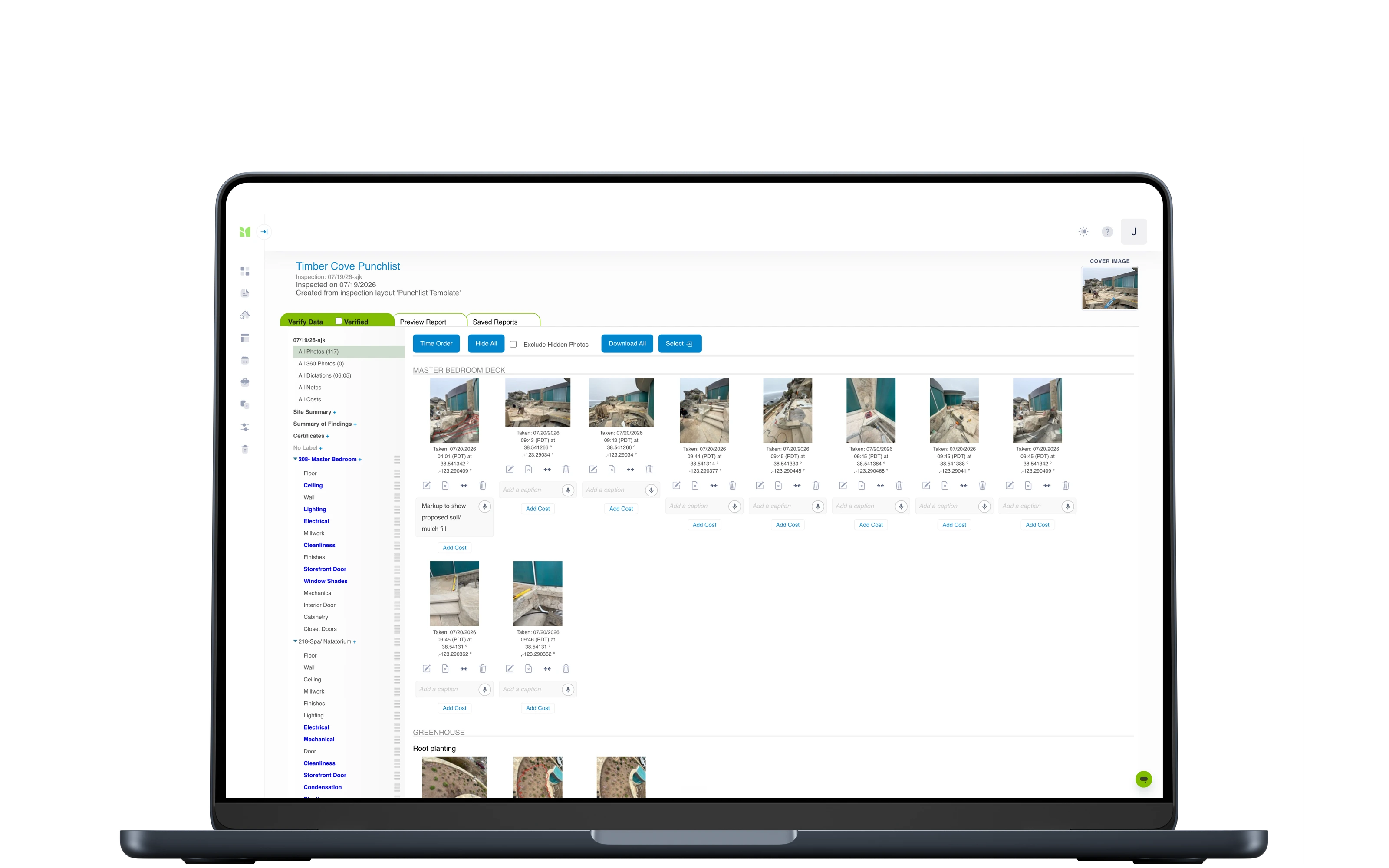
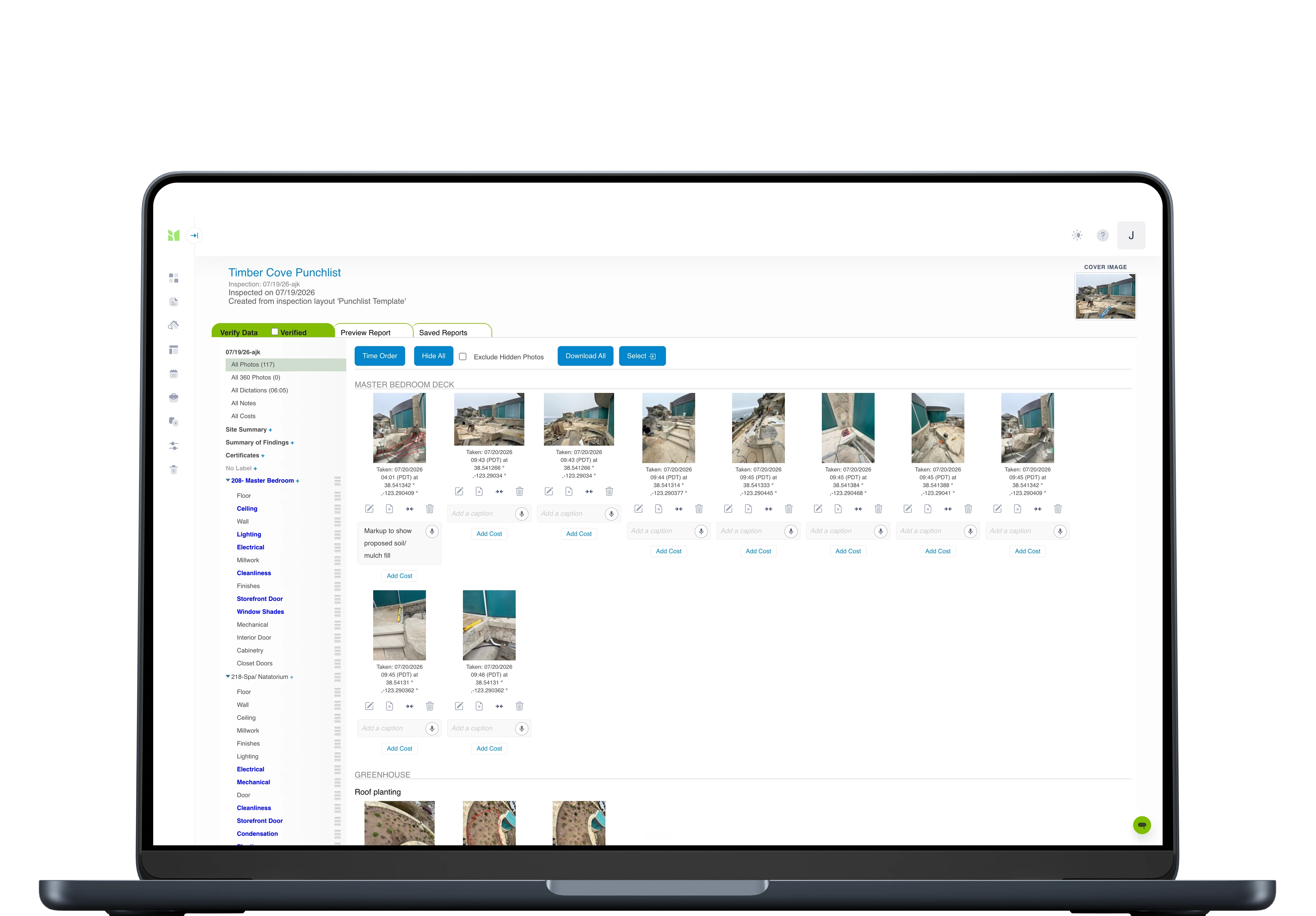
Photos with GPS and timestamps, dictated observations returned as report-ready text, and per-item costs with categories and responsibilities.
Photos with GPS and timestamps on every capture
Dictated observations return as report-ready text once synced
Per-item costs with categories and responsibilities
03PDF + Excel out
Issue and export
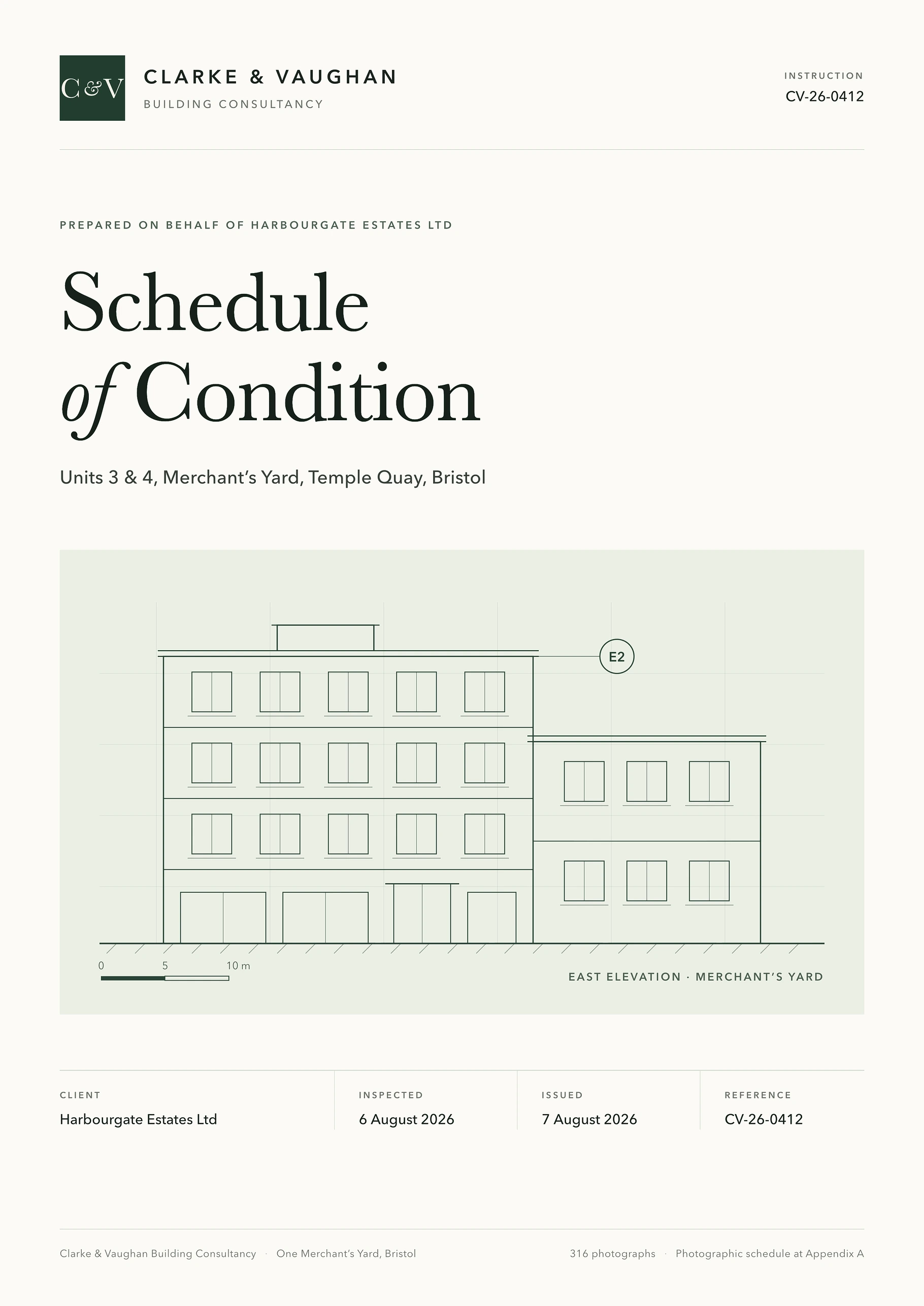
Branded PDF reports with your layout; Excel export for cost schedules; comparison reports when the schedule of condition is revisited.
Branded PDF reports in your layout, under your logo
Excel export of exactly the filtered view - evidence links included
Comparison reports when the schedule of condition is revisited
04One grid, every building
Track across instructions
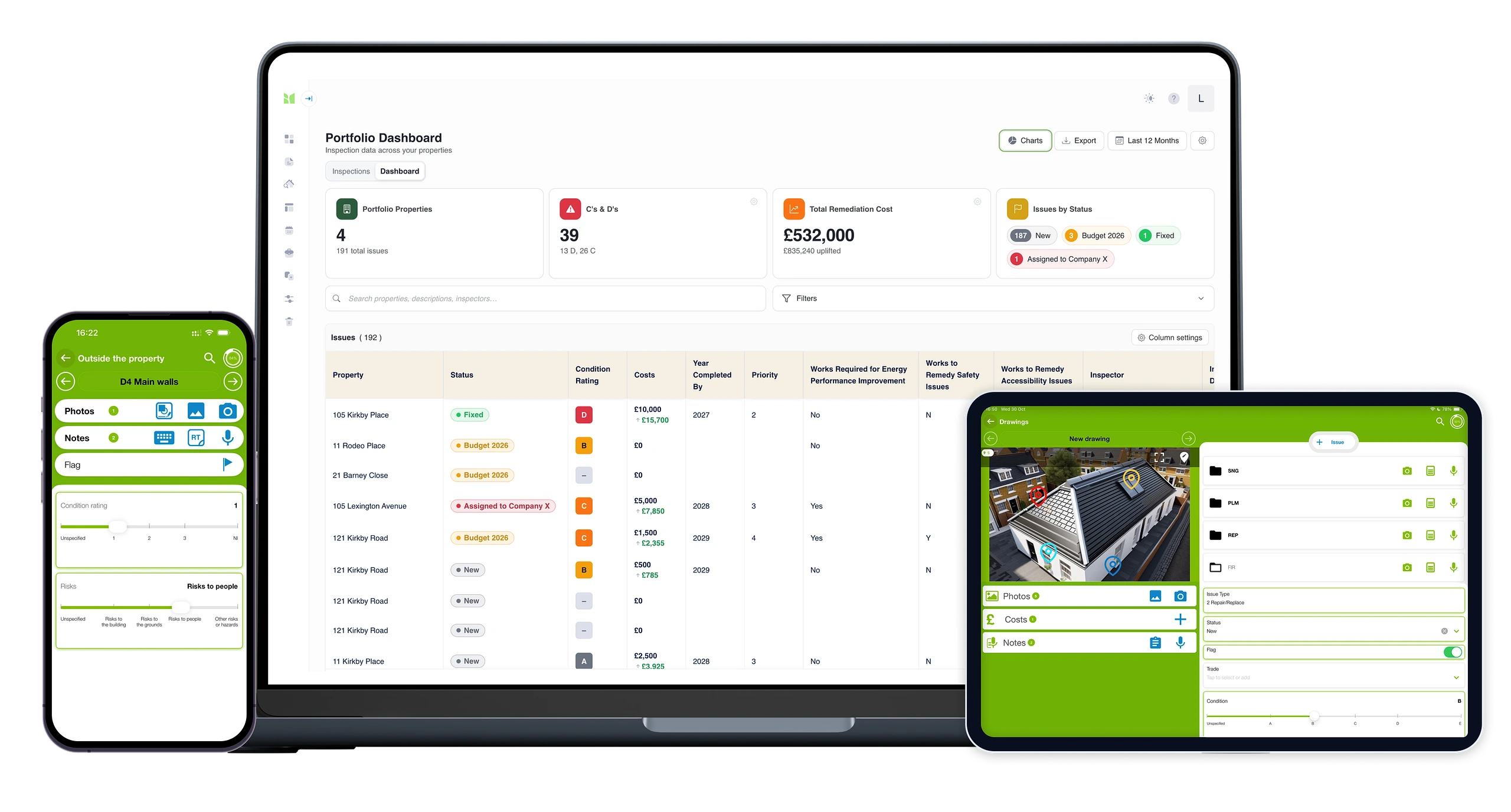
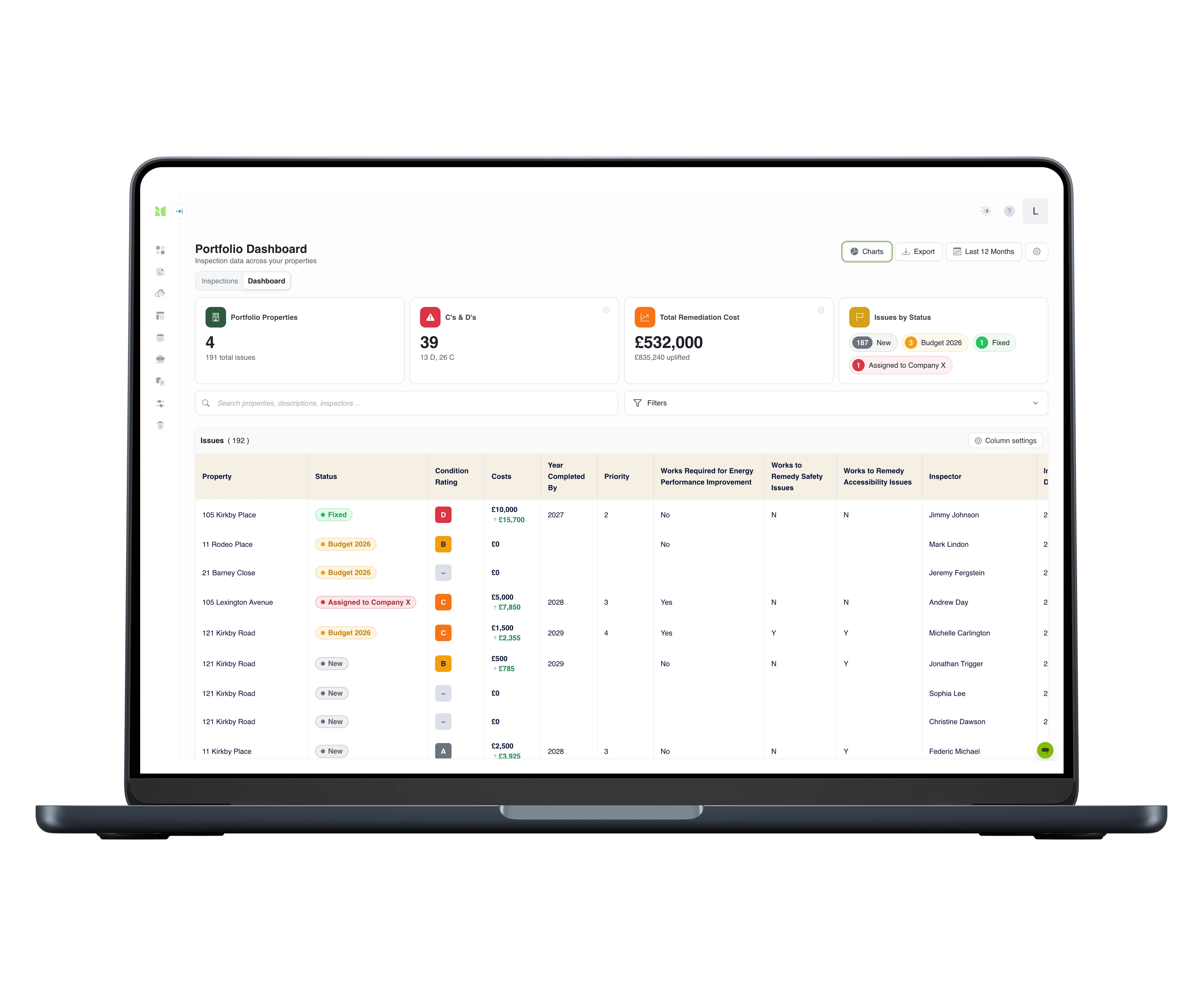
For PPM and portfolio work, flagged items roll up into one dashboard - severity, cost and status across every building you look after.
Severity, cost and status across every building you look after
Each row deep-linked to its photo evidence
Corrections re-project in seconds - never a stale export
05One diary, whole team
Scale the practice from one place
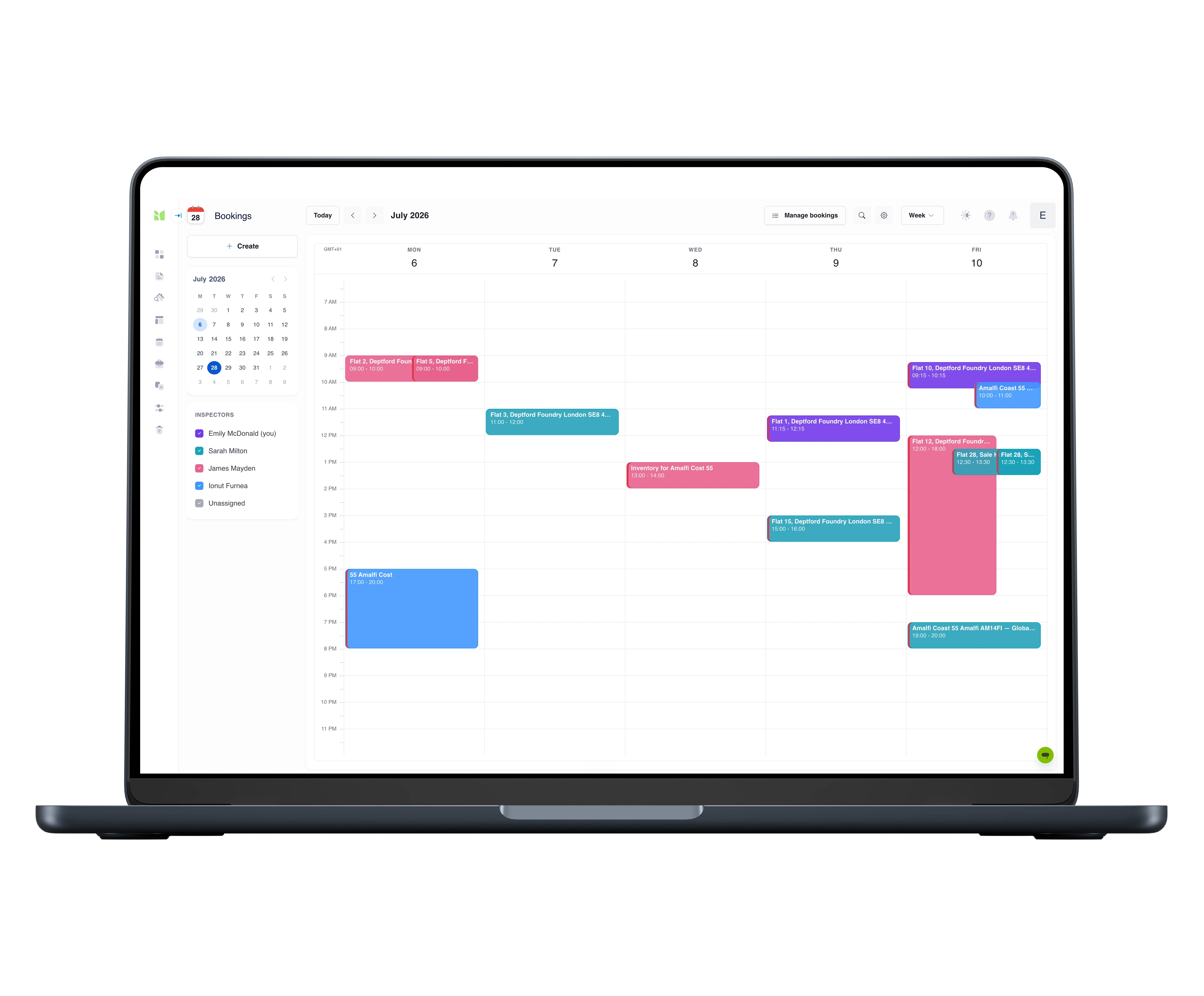
Instructions are booked with a time, a duration and an assigned surveyor against their published availability, and every job carries a visible status from booked to delivered - the diary, the evidence and the dashboard stay centralised as the team grows.
One team calendar - bookings colour-coded per surveyor
Assign against each surveyor's availability - invites accepted or declined on the spot
Every job's status visible from booking to delivery
Templates & workflows
Every instruction, templated.
The commercial workload - condition, dilapidations, planned maintenance, compliance - as structures your team opens and runs, costed line by line.
Every template is fully customisable - structure, wording, branding - and your reports carry your identity, not ours.
The tools for the job
Phone & tablet · iOS & Android
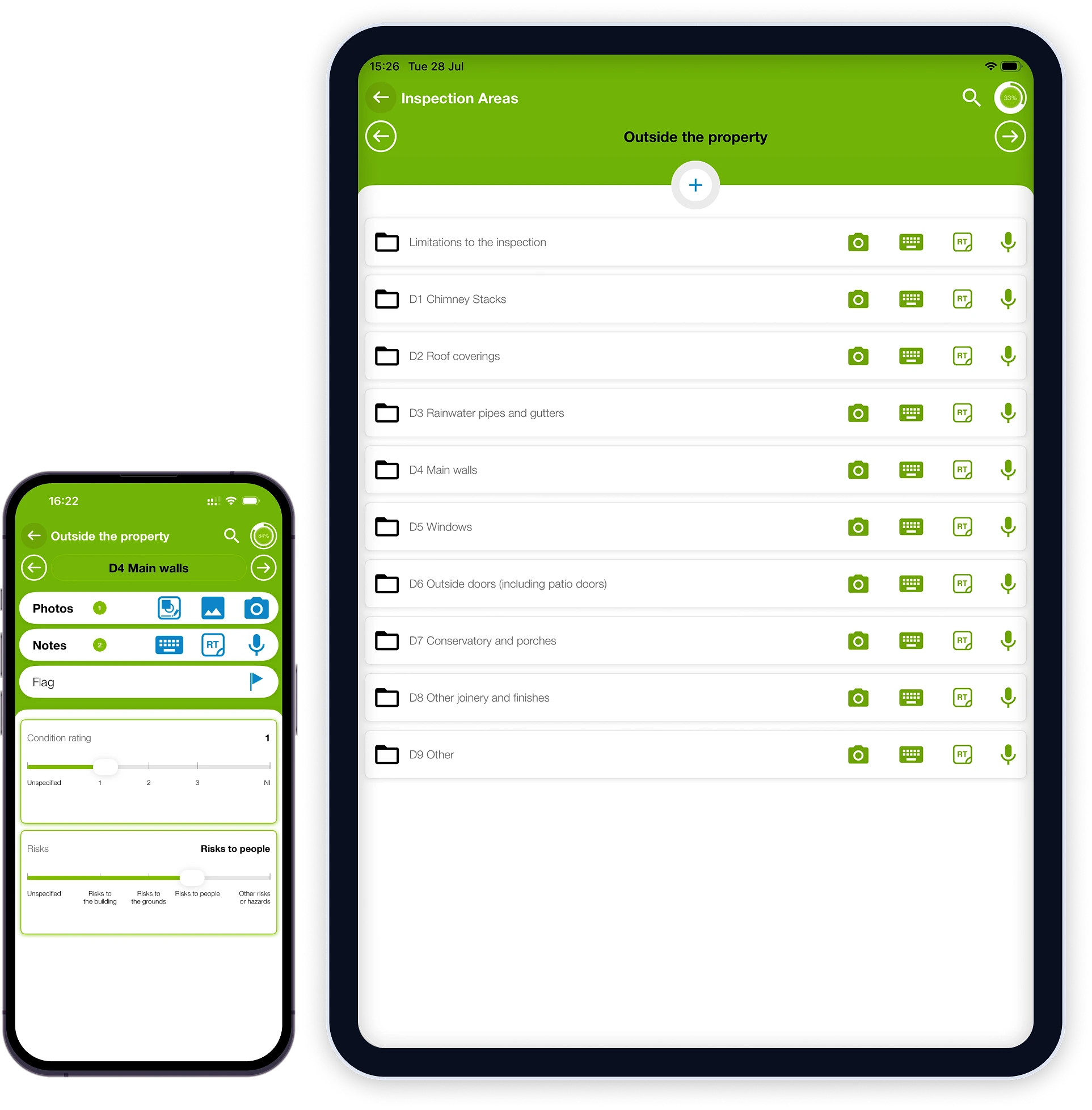
Native iOS and Android capture on phone or tablet: photos with GPS and timestamps - as many as the job needs - voice dictation, floor-plan pins, costs and condition ratings. Sync templates before you set out, then capture all day with no signal.
Everything behind the field work: bookings and the team's diary, dictation returned as text, review and edit of everything captured, photo markup in the browser, and branded reports issued from the platform - frozen on generation, with originals kept for seven years.
Every flagged issue from every inspection in one grid: severity grades A–D, remediation costs, configurable statuses with a full activity history, charts by any dimension, Excel export with the audit trail, and a branded PDF portfolio report - each row deep-linked to its photo evidence.
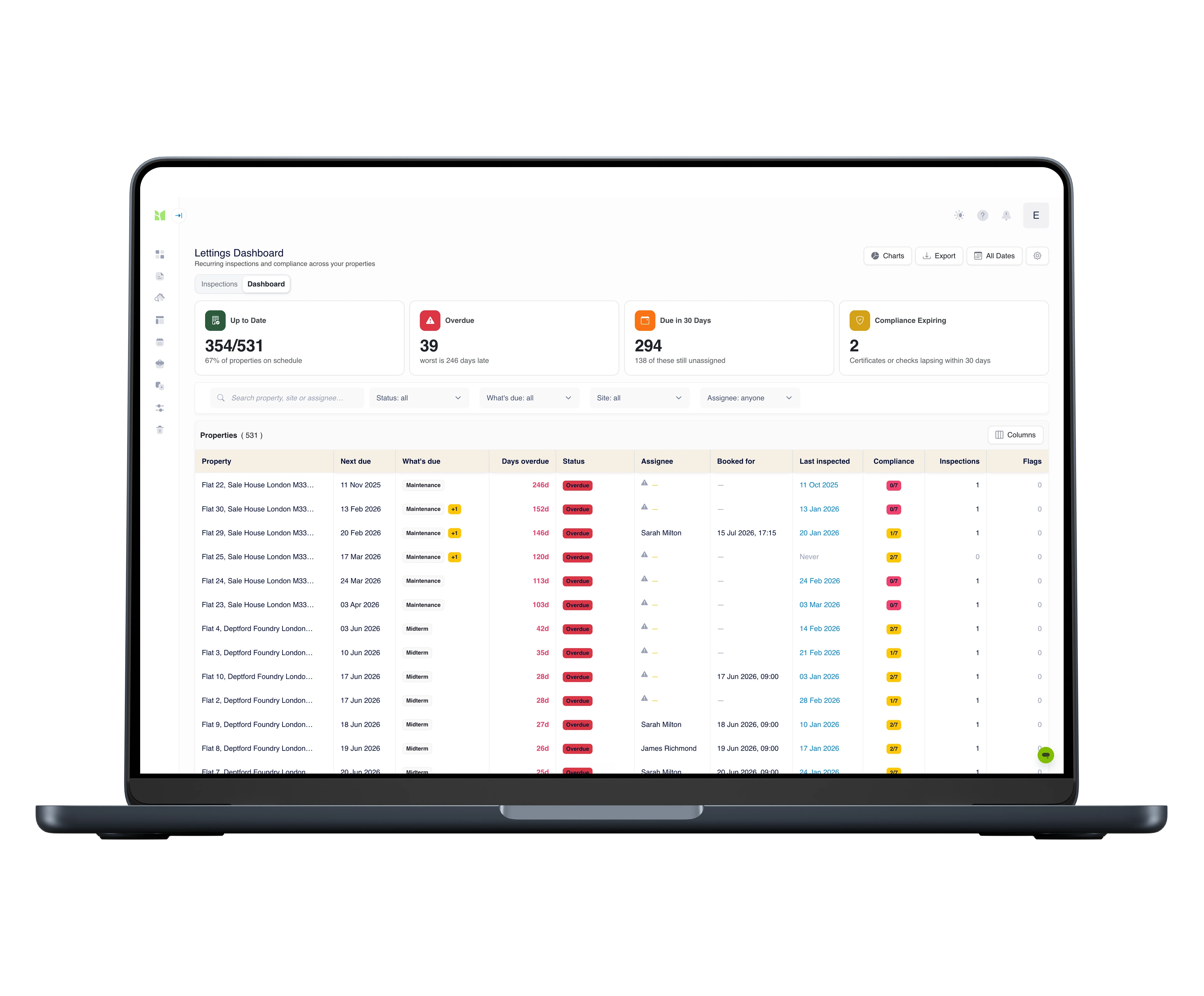
For the scheduled side of the workload: every property on one screen - which inspection is next due, who is assigned, how many days overdue, and which statutory checks are still in date. Assign from the dashboard and a real booking goes into the team's bookings calendar.
Book the appointment in Survey Booker and the job arrives in Imfuna pre-filled - you choose which job types flow. Post the completed report back, and Survey Booker delivers it to your client.
Excel export, for everything else
Output all inspection data to MS Excel for use in other software - so even tools we don’t talk to natively can work from Imfuna data.
Questions surveyors ask us
Our client wants their own columns and their own grade language.
Then that's what the grid speaks. Columns, condition grades and statuses are configurable per account, and the mapping shows sample values from your own surveys as you set it up - so a portfolio surveyed several ways still comes out consistent, in the client's vocabulary.
We live in Excel. Does everything come out?
Yes - and it comes out carrying its evidence. Export exactly the filtered view you're looking at; every row deep-links back to the photos behind it, and the status history ships alongside. Your workbook habits survive; the stale-export problem doesn't.
Where does the write-up time actually go?
Nothing is typed twice. The structure comes from the template, so the document is never laid out from scratch. Photos file themselves against the element, time and GPS stamped, so there is no evening of sorting. Dictated observations come back as report-ready text once synced, against the item they describe. Costs are entered once, per item, on site - and the branded report, the cost schedule and the Excel export are all projections of that same record. What is left at the desk is review and judgement, not collation.
We consolidate dozens of buildings by hand every quarter. What changes?
The consolidation stops being a job. With the portfolio dashboard, every flagged item from every survey is already a row in one grid - severity, remediation cost, status - with charts by any dimension, and the Excel export is a filtered view of the live record, not a merged workbook. When a survey is revisited or a line is corrected, the grid re-projects in seconds instead of waiting for the next consolidation cycle.
What happens when a schedule of condition is revisited?
Re-open the building with its structure carried over and record what changed - original photo beside the new capture. Comparison reports come from the same record, and the portfolio grid re-projects the changes in seconds instead of waiting for the next consolidation cycle.
Can the other side's surveyor pick holes in it?
They can try - that's their job. What they meet is a record with a location pin on the plan, a dated photo and a cost against every line, generated from an inspection that is frozen on issue. Scrutiny is the design requirement, not a risk.
What about basements, plant rooms and buildings with no signal?
Nothing changes mid-survey. Start with a connection so your templates sync to the phone or tablet; from there photos, dictation, ratings and costs all save locally, and everything uploads when you are back in coverage. A full day with zero signal is the design assumption, not an edge case.
We issue our own report format. Can you build it as a template?
Yes, two ways. The template builder is part of the web platform on every plan, and adjusting our library templates is part of getting set up. Or have us do it: send the report you issue today and an Imfuna specialist rebuilds it end to end - the survey template your team captures with, and the branded report layout your clients receive - with the first version typically within five working days and three versions included, as a one-off from £500. See the custom template build service.
How easy is it to get started?
Sign up and you are in a 30-day free trial with full access, no credit card required. Condition, dilapidations, PPM and compliance structures are already in the library - open a template and start. And setup is not left to you: live online onboarding training for your whole team is included on every plan, with live chat inside the platform when a question comes up.
Is training included?
Yes, on every plan: live online onboarding training for your whole team, plus start-up videos, CPD-certified training and live chat inside the platform. And it is not a one-off - when someone joins the firm mid-subscription, they can request the same onboarding at any time, so new starters never learn the system second-hand. On Enterprise, on-site training at your offices can be scoped into your quote.
Can we try it on a real instruction first?
Yes. Every new account starts with a 30-day free trial with full access and no credit card required - so there is nothing to cancel if it is not for you. Run a live survey during the trial and judge Imfuna on your own workflow, not a demo script. When you are ready, you choose a plan on your subscription page; and if the trial passed you by unused, support will look at an extension.
See Imfuna on your own instructions
A live demo takes 30 minutes: we look at how you work today and show how it runs in Imfuna.



 Phone & tablet · iOS & Android