
The Imfuna web platform
Where field notes become the delivered report.
Everything after the inspection: schedule the work, standardise the wording, review the evidence, and deliver a branded report that no one - including you - can quietly rewrite.
- Since 2009
- Building the property record
- 99.9%+
- Platform uptime, every year
- Cyber Essentials
- Certified
- RICS
- Tech Partner
Plan
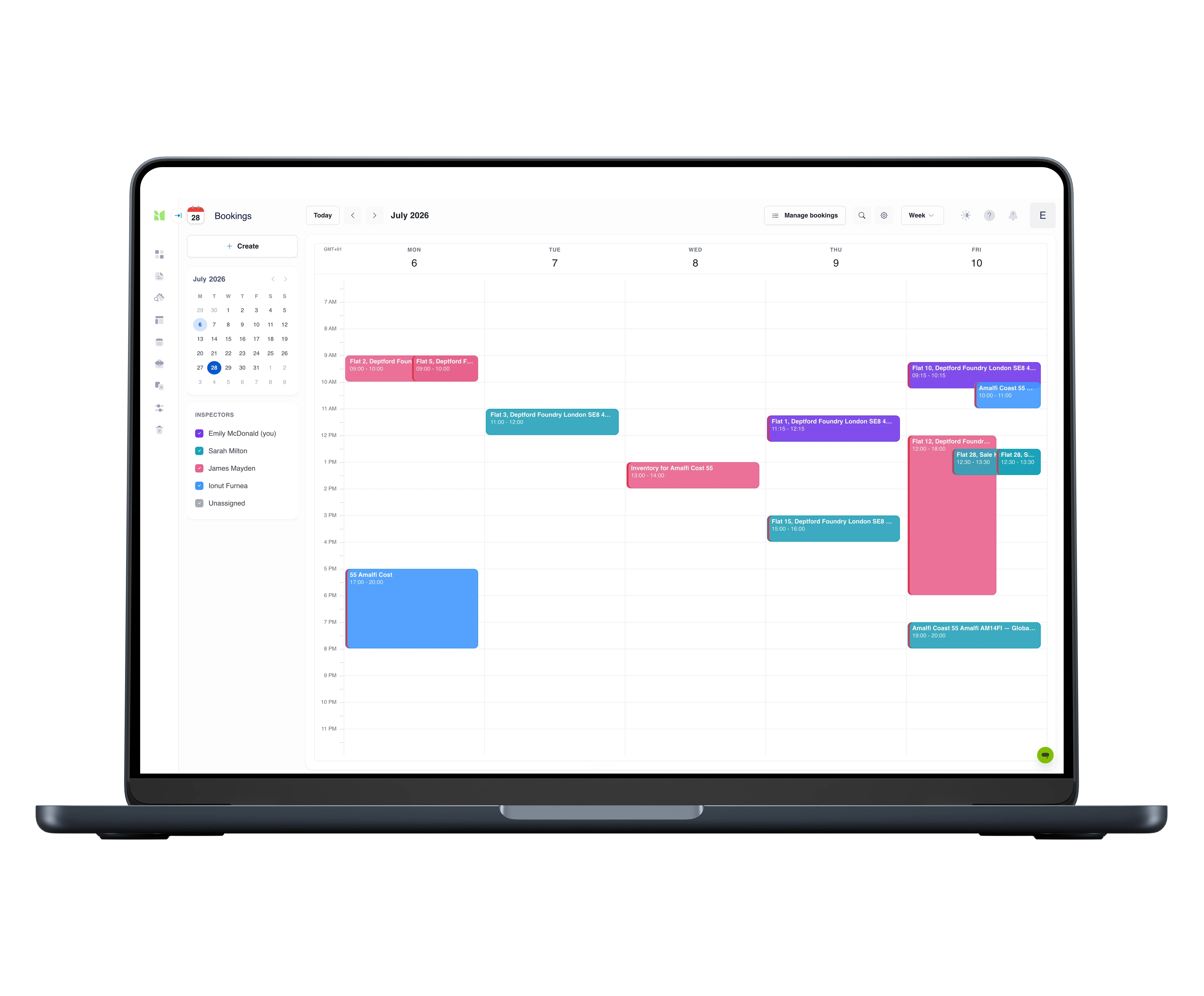
The diary, connected to the work.
Book inspections with a time, a duration and an assigned inspector, against the inspector's published availability. From that moment the job has a visible state - booked, on site, uploaded, verified, delivered - so nobody asks 'where's that inspection?' twice.
- Bookings with duration and inspector assignment
- Weekly availability and blocked-out time per inspector
- Job status visible from booking to delivery
Notifications
Invites answered, updates read, nothing missed.
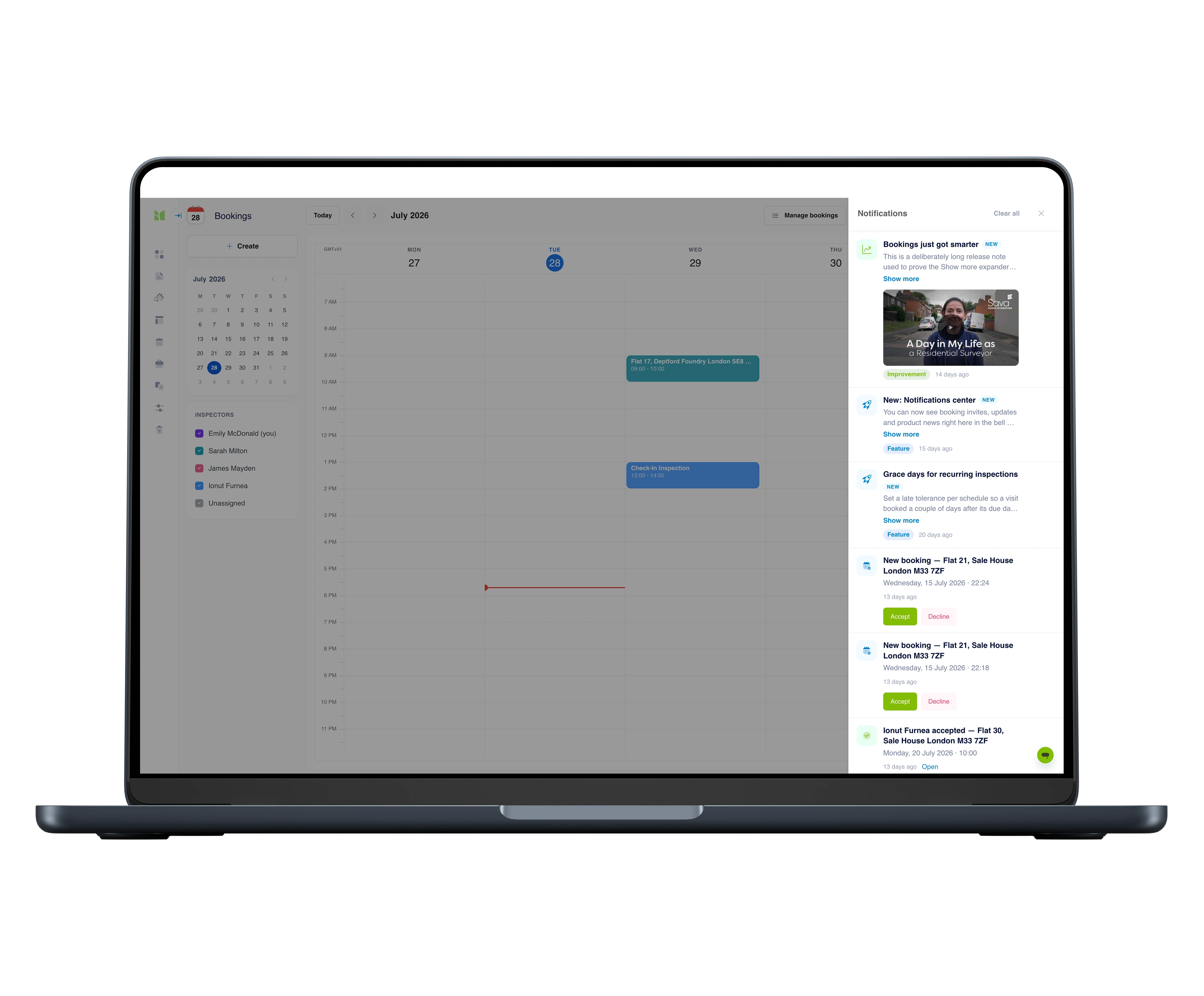
The bell holds the team's coordination: booking invites you accept or decline on the spot, confirmation when someone else accepts theirs, and the product news worth knowing - release notes, training videos and how-to tips as they ship.
- Accept or decline a booking invite in the panel
- See who accepted, and who has not answered yet
- Release notes, training and how-to tips in the same feed
Standardise
One voice across every inspector and every report.
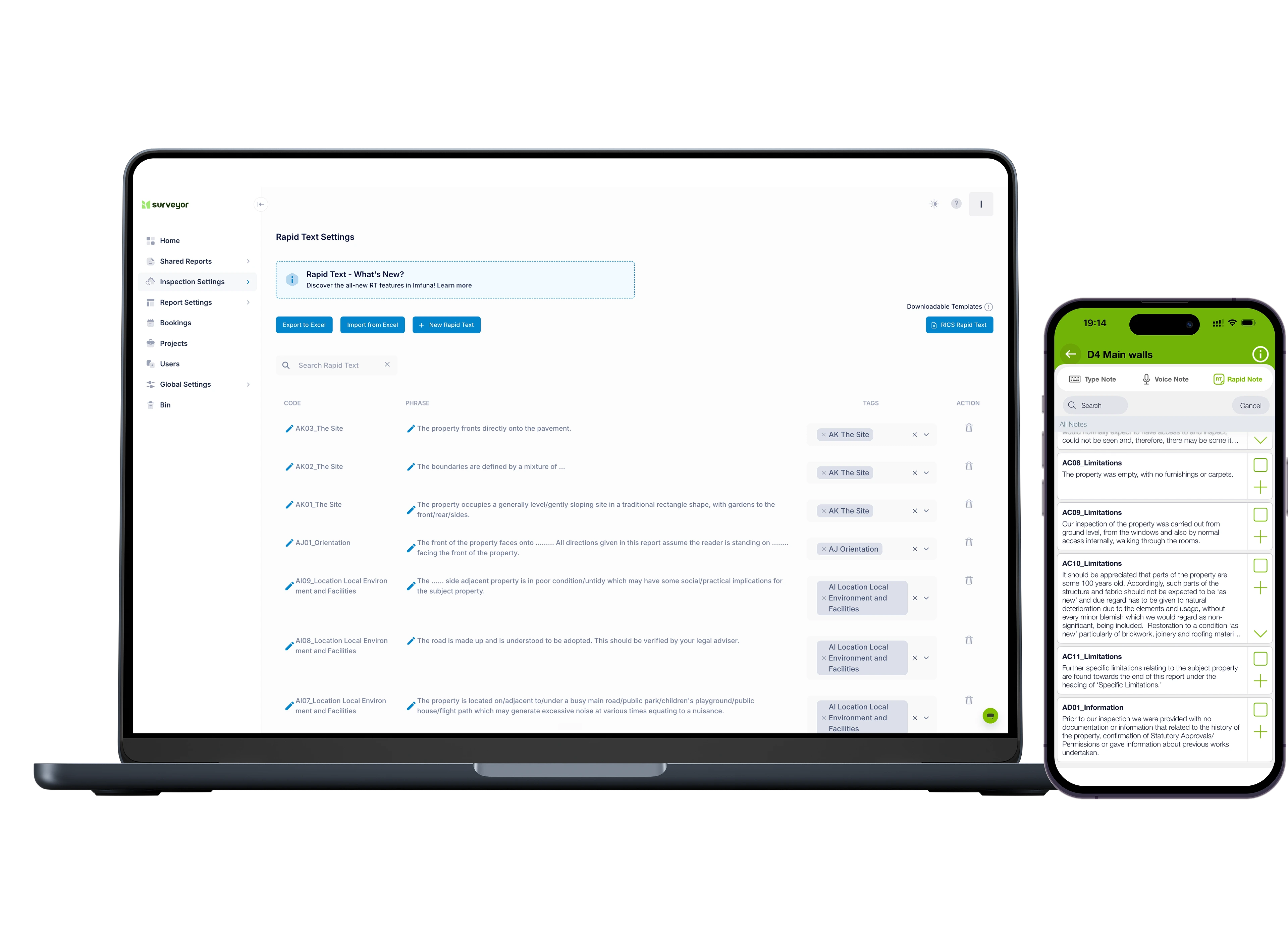
Templates define what gets inspected and how it's rated; the platform is where you build and manage them - including fully custom report structures. The Rapid Text phrase library lives here too, imported and exported in bulk from Excel and tagged to the template elements it describes, alongside standard notes, rating scales, trades and cost categories.
- Template management, including a custom report builder
- Rapid Text phrase library with bulk Excel import/export
- Standard notes, rating scales, trades and cost categories
Review
Every report checked before it ships.
The Verify workspace is where a manager reads the inspection the way the client will: every section, every photo, every note. Edit wording and ratings, move photos to the right item, assign each cost to the party responsible, and merge or copy inspections when the field work got messy. Capture happens on site; judgement happens here.
- Edit notes, ratings and costs in the browser
- All-photos view; move photos between items
- Cost responsibility per line - tenant, landlord, or shared
- Merge, copy and renew inspections
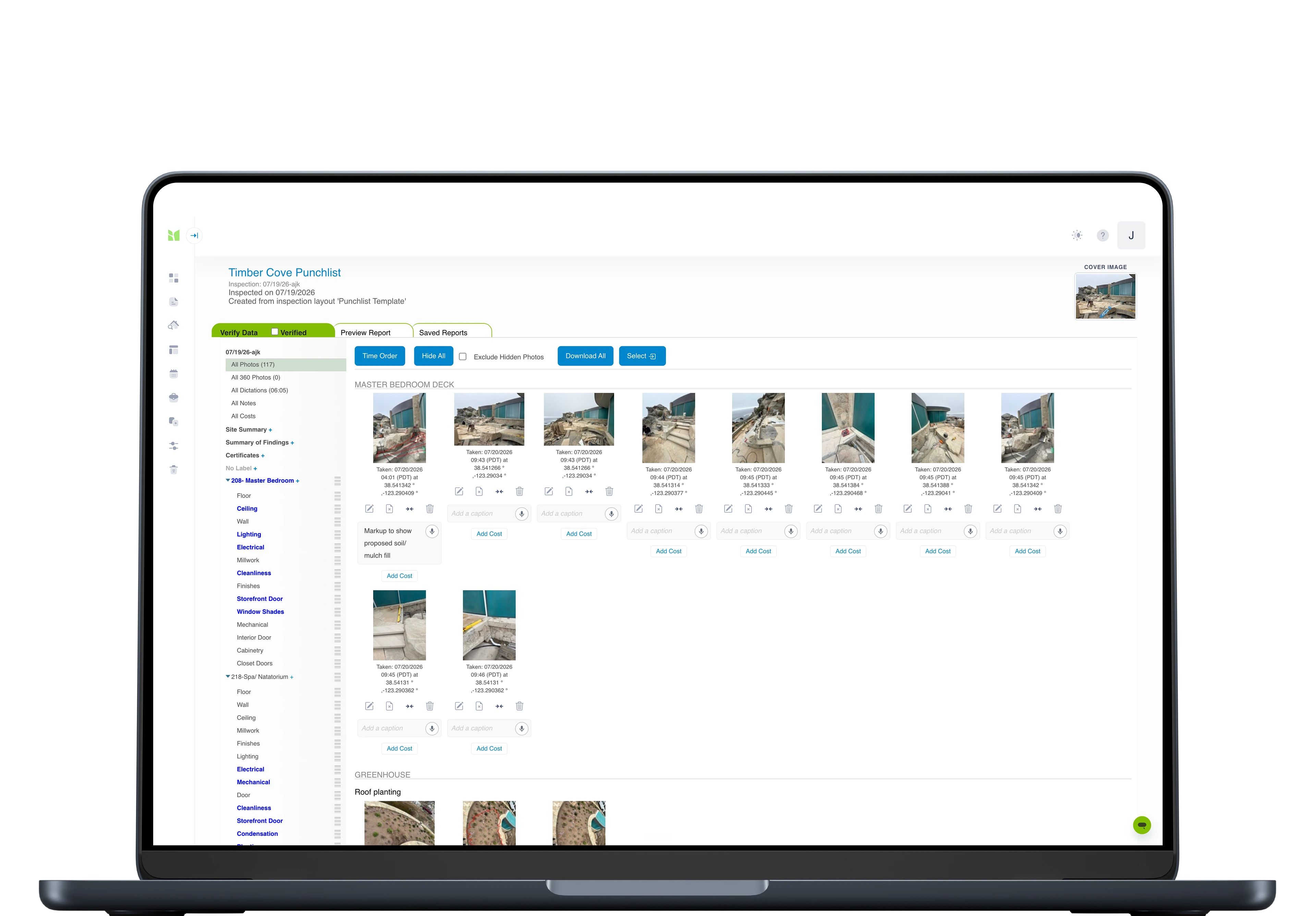
Image viewer
Every photo, ready to answer for itself.
Open any inspection photo full screen with the facts attached: which item it belongs to, when it was taken, and where - GPS coordinates included. Then curate the record from one toolbar: caption it, make it full width when it matters, hide it from the report without deleting it, rotate, crop or mark it up.
- Time and GPS location on every photo, on screen
- Caption, full-width, hide from report, rotate, crop, markup - one toolbar
- Hidden photos stay in the record; the report just doesn't show them
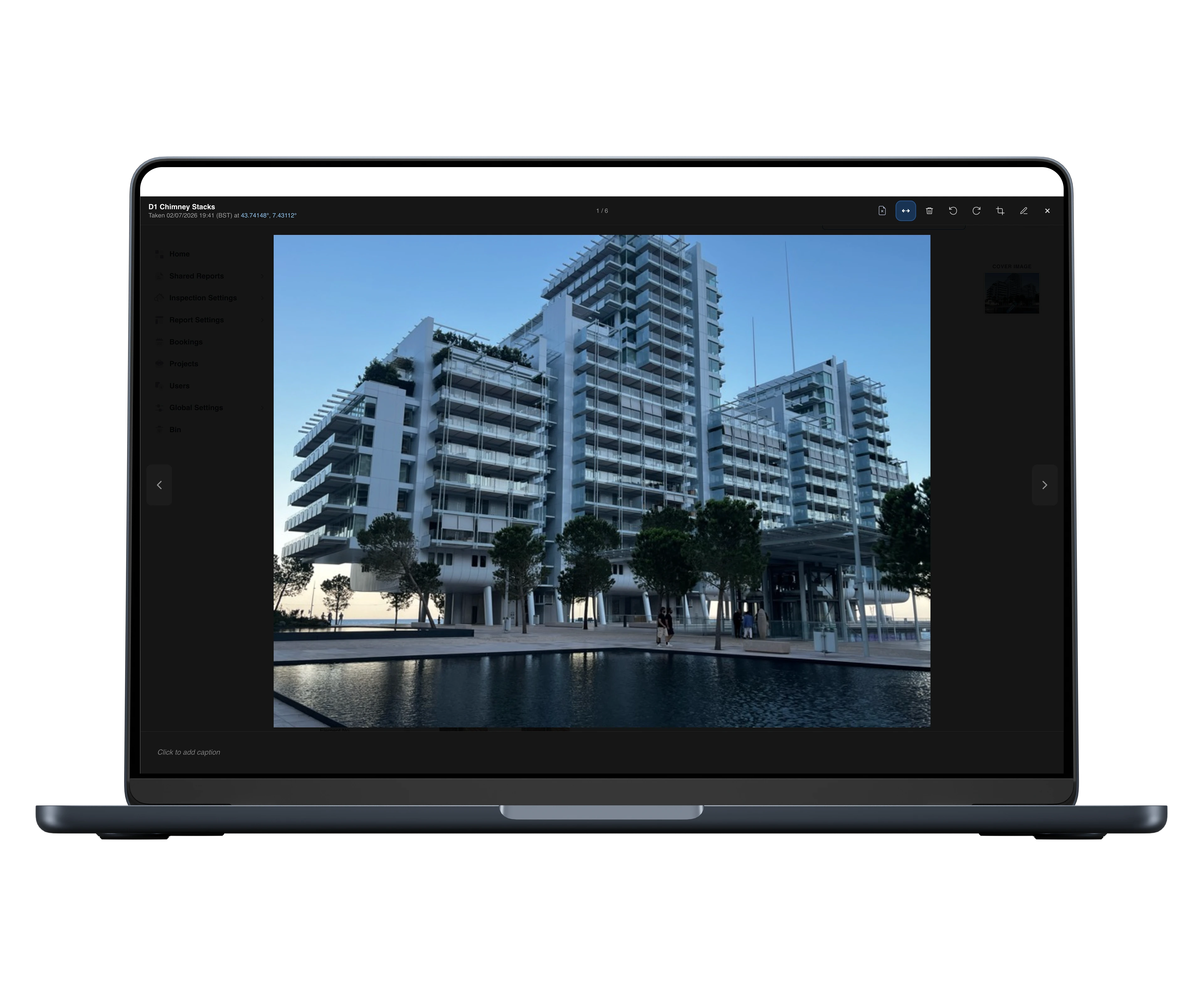
Photo markupNew
Point at the problem, from your desk.
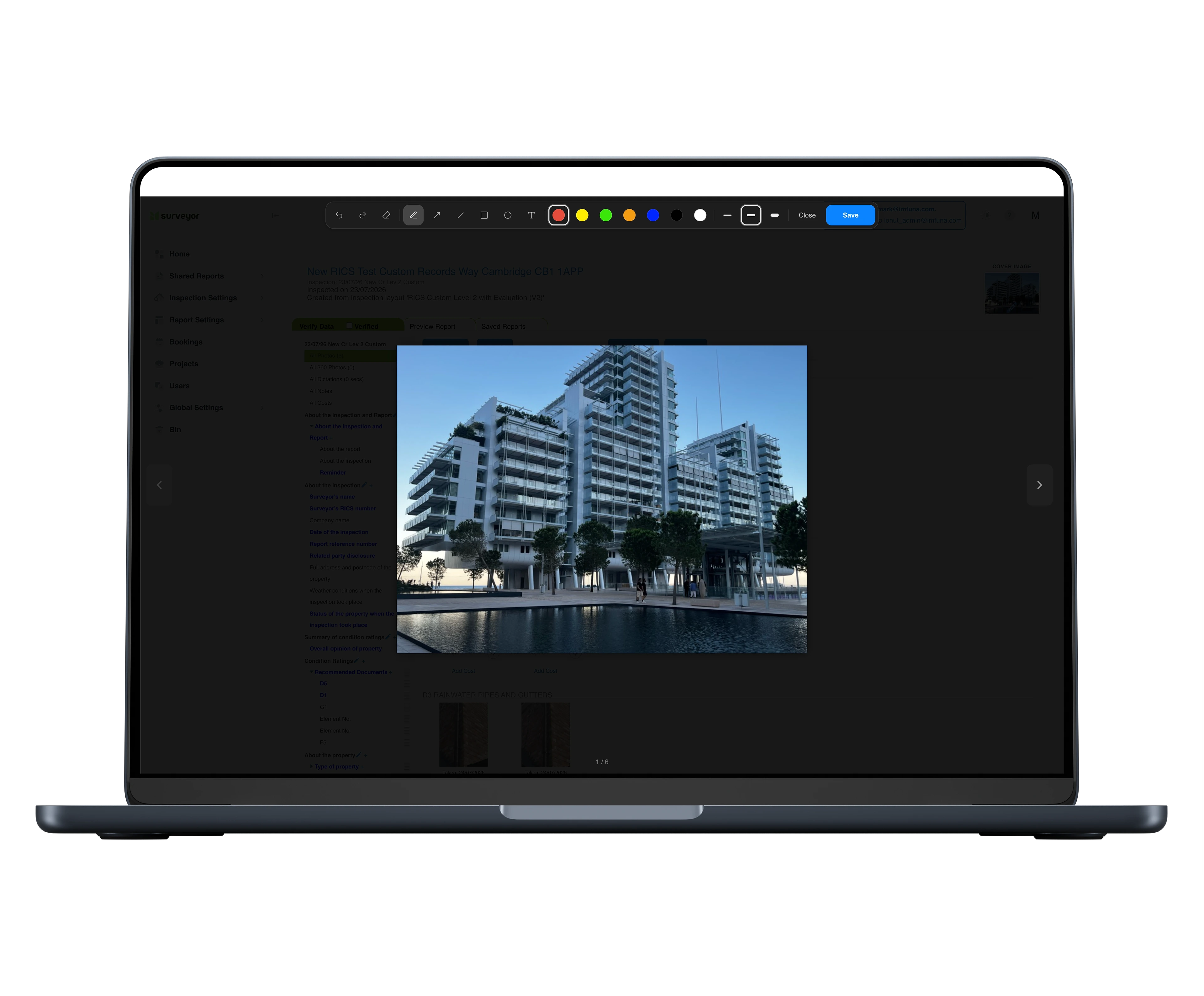
Mark up any inspection photo in the browser - arrows, shapes, text and freehand, plus crop - right on the Verify page. Overwrite the photo or save the marked-up version as a copy; either way the original capture is preserved, so the annotation never costs you the evidence.
- Arrows, shapes, text and freehand, with colours and line weights
- Crop and rotate in the browser
- Original photo preserved behind every markup
Deliver
Your brand on the cover. Your evidence underneath.
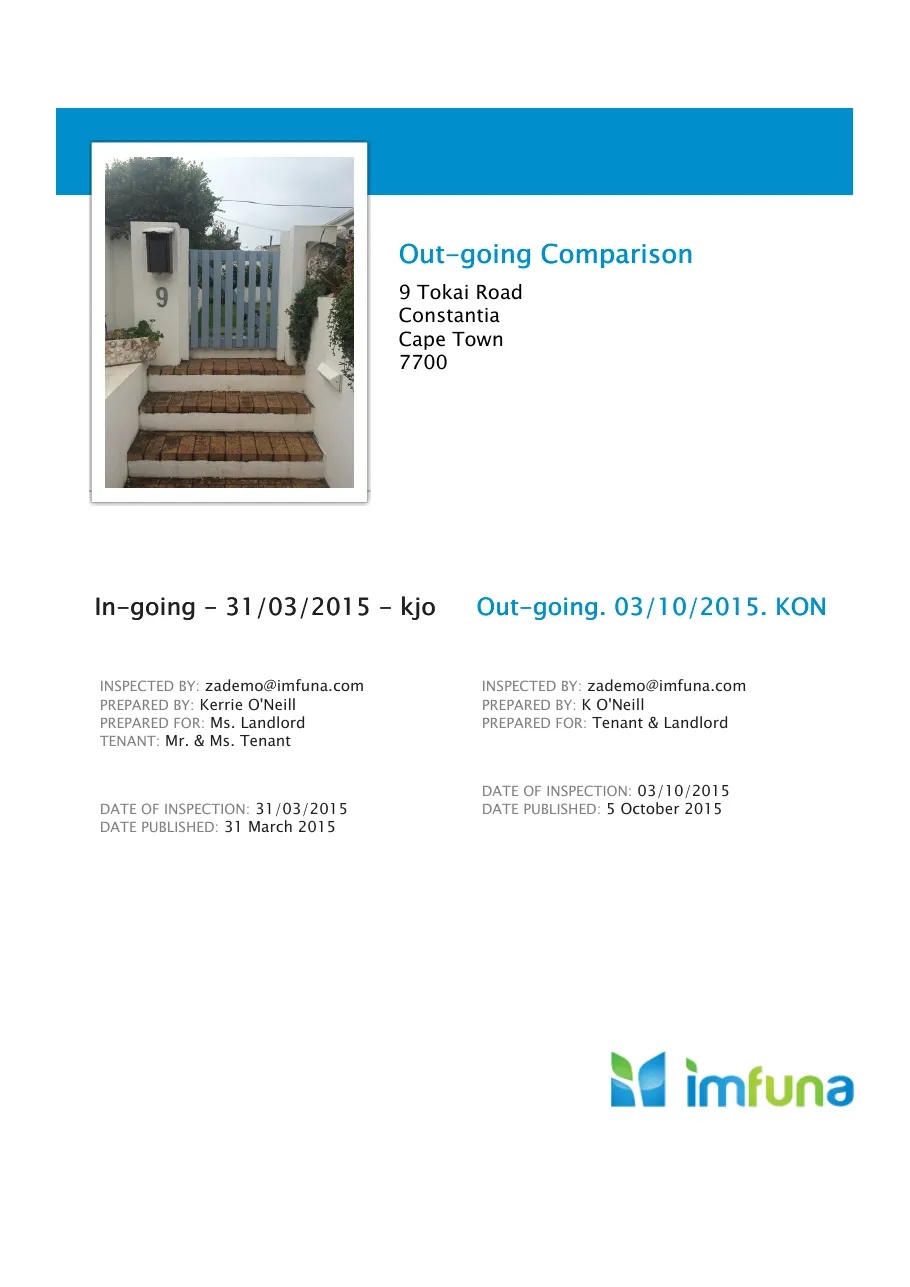
Reports render to PDF under your branding - logo, cover, colours, fonts, photo layouts, headers and footers, all yours to configure. Check-in against check-out is a first-class comparison report, not a manual collation. Sign reports digitally, invite external parties to sign, and send from customisable email templates.
- Full report branding: logo, covers, colours, fonts, layouts
- Comparison reports - check-in vs check-out, built in
- Digital signatures, including invited external signers - no separate e-signature subscription to pay for


Integrity
A delivered report never changes.
When a report is generated, the platform freezes an exact snapshot of the inspection data and the styling that produced it. Edit the live inspection all you like afterwards - the report you delivered re-renders exactly as it was sent, every time. In a deposit dispute or an expert-witness bundle, that is the difference between a document and evidence.
Sign-off
Agreement you can point to later.
Share a report with tenants, landlords or clients through a secure online viewer - no account needed. They comment where they disagree, attach their own photos, and formally agree on the record. When every party has agreed, you're notified. The sign-off isn't an email thread; it's part of the report's history.
- Secure shared viewer for tenants, landlords and clients
- Comments with photos, threaded against the report
- Formal agreement recorded per party
The details teams ask about
The working parts behind the platform - carried over from years of inspection practice, at a glance.
Bookings
Schedule inspections with an assignee, a duration and a visible status - a diary the whole team works from.
Comments & signatures
Tenants, landlords and clients review the report in a secure viewer, comment where they disagree, agree on the record and sign digitally.
Team management
Roles and permissions across your corporate structure: who captures, who verifies, who publishes, who shares.
Projects
Group related inspections so a programme of work reads as one list - not jobs scattered across the account.
Data pins & drawings
Pins placed on floor plans and drawings in the field carry through to the report, tied to the observations they mark.
Geo-referenced images
Every photo lands with the GPS position and time it was captured - location evidence that follows the image into the report.
The complete Web Report Publisher feature list

Inspections overview
Every inspection across your whole team on one screen: what is uploading, what is in transcription, what is awaiting signature and what is ready to publish - sort, filter and open any of them.

Inspection settings
The workbench behind your templates: type lists, inspection information, condition and priority sliders, cost classifications, trades, diagrams and signatures - plus Rapid Text with tags for context-sensitive phrases, and an import for the library you built in a previous system.

Report templates & layouts
Create your own templates or start from ready-made, fully customisable ones - then shape bespoke, branded report layouts to match how your business presents.

Standard notes and diagrams
Enter common descriptive language and standard diagrams to any template for comprehensive reports.

Note groups
One note field per item, or interrelated subsets - description, condition, corrective action - each with its own place in the published report, so site shorthand comes out reading like a document.

Content order & visibility
Control the order report content appears in - and what appears at all. Hide sections or photos, and keep internal site notes out of the customer's report while they stay on the record, reversible whenever you need them.

Automatic PDF reports
Configure inspections to generate their PDF the moment they complete - for every inspection or per template, with no one pressing publish.

Derivative reports
1-touch derivative report types can be published from a single inspection: flagged, trade, slider, adjudication.

Digital report sign-off & comments
Share a report link to multiple parties for electronic signature - and for feedback. A tenant can comment on the photos, sections and text you captured, and every comment lands back in the workflow before anything is finalised.

Bookings
Establish inspections to be performed and assign to your staff or your contractors.

User roles & permissions
Mirror your corporate structure: add users, define roles and set what each role can do. Managers get the admin area, team calendars and everyone's bookings; inspectors and clerks get the capture tools, not the admin keys.

Billing, self-serve
Your plan and billing details live in your own settings - adjust them when something changes, without raising a ticket.

Projects
Group inspections and assets into projects, so a block, a site or a client portfolio is managed as one thing - its inspections and history in one place.

Compliance DashboardBolt-on
Every property's recurring inspections and compliance checks on one screen - what is due, who is booked, and the evidence it happened. See the Compliance Dashboard →

Portfolio DashboardBolt-on
Every flagged issue from every inspection in one filterable grid - condition, cost and priority across the portfolio, one click from the evidence. See the Portfolio Dashboard →

Integrations
Fixflo, The Depositary, DPS and more - inspection findings flow into the systems that act on them. See all integrations →

Light & dark mode
Work in light or dark - kind on the eyes across a long day at the screen.

Live support chat
A human on live chat inside the platform - ask mid-task instead of filing a ticket.

Provisioning / training
Start-up videos, CPD-certified training, and assistance to enable you to control all aspects of app data capture and report publishing.
How firms run Imfuna
Your data isn't locked in
Export inspection data to Excel and every photo as a ZIP - the records are yours to take with you.
Inspectors capture, managers publish
Granular roles separate verifying, previewing, publishing, sharing and template management across your corporate structure - with invitations to bring the team in.
Connected to your stack
Fixflo, The Depositary, MRI Sales & Lettings, Survey Booker and more - inspection findings flow into the systems that act on them.
See all integrations →Questions worth asking before the first report
The things prospects and new users ask us most, answered up front. The full how-to library lives in the Help Centre.
Do I need to install anything?
No. The web platform runs in the browser on any desktop or laptop - nothing to download or install. Any modern browser works; we recommend Chrome. The mobile app does the capturing; the browser does everything after.
Do I use the same login as the app?
Yes - one Imfuna account works in both. The email and password you use in the mobile app sign you in to the web platform, and what you capture on one shows up in the other once uploaded.
Can I edit the data after an inspection uploads?
Yes. The Verify workspace is built for exactly that: edit notes, ratings and costs, move photos to the right item, and tidy what the field day left messy. Then generate the report - and if something changes later, edit again and publish a fresh version alongside the old one.
Can a report be changed after it's delivered?
No - deliberately. A delivered report is a frozen snapshot that re-renders exactly as it was sent, every time, no matter what's edited afterwards. Corrections become a new report published alongside the original, so the record always shows what was issued and when.
Can I add photos from my computer?
Yes - photos can be attached to any item from the desktop, alongside what came in from the app. One honest caveat: photos added on the web don't carry the capture-time and GPS stamps that in-app photos do, so shoot the evidence on site and save the web upload for the stock front-of-house shot.
How do dictations become text?
Voice notes upload with the inspection and come back as text against the item they were spoken to, with an email to tell you when they're done. You can carry on working in Verify while transcription runs, and edit any transcript like any other note.
Can I compare check-in against check-out?
Yes - comparison reports are built in, not a manual collation. Pick a comparison layout at Preview, choose the inspection to compare against, and the report shows then and now together.
See the whole journey, field to inbox
Book a demo and follow one inspection from capture to a delivered, branded, signed-off report.