
Imfuna

Construction

Construction inspection and snagging software

Every stage of the build, on the record

Keep every trade accountable and settle rework arguments before they start: punch items pinned to the plan with dated photos, daily and trade reports issued before you leave site, and reinspection comparison that proves the punch list got shorter - a closeout file kept on record for seven years.
Start free trial

What the platform does for you

Pins on the drawing

Drop colour-coded pins on the plan marked Attention, Changed Condition or Not per Specification - every defect has a location, not just a description.

Daily reports from site

The day's record - progress, weather, trades, issues - issued before you leave site, branded and consistent across visits and teams.

Trade reports

Cut the same record by trade, so each contractor gets their own list - and nobody argues about whose snag it is.

Close-out that proves itself

Reinspection puts the original photo next to the new capture, dated - progress on the snag list, documented visit by visit.

Offline behind the hoarding

Basements, cores, sites with no signal - capture works all day offline and syncs when you're back in coverage.

Photos that testify

GPS and timestamps on every capture, captions and markup where they're needed - the difference between a photo and evidence.

Speak, don't type

Dictate observations as you walk the site; they come back as text ready for the report, so the write-up doesn't wait for the cabin.

The handover file

Reports freeze on generation and originals are kept for seven years - when the dispute about making good arrives, the record answers.

How contractors, project managers and site inspectors work with Imfuna

The same sequence, from arriving on site to the issued report - and what each step takes off your desk.

01Every defect pinned

Walk the site

Capture progress and defects zone by zone - photos, dictation and pins on the plan marked Attention, Changed Condition or Not per Specification.

  • Pins on the plan marked Attention, Changed Condition or Not per Specification
  • Photos with GPS and timestamps; dictation instead of typing
  • Works offline behind the hoarding - basements and cores included
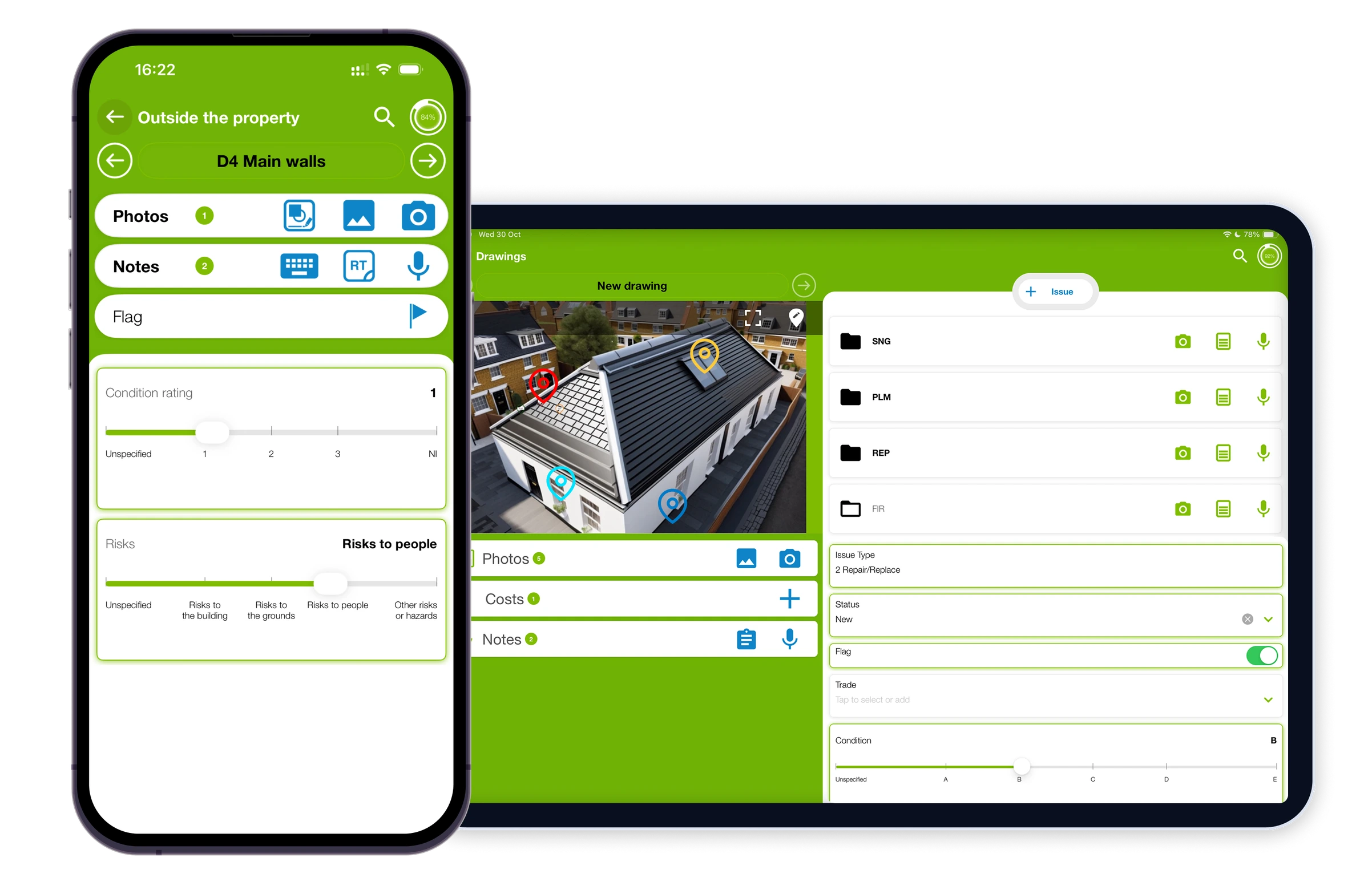
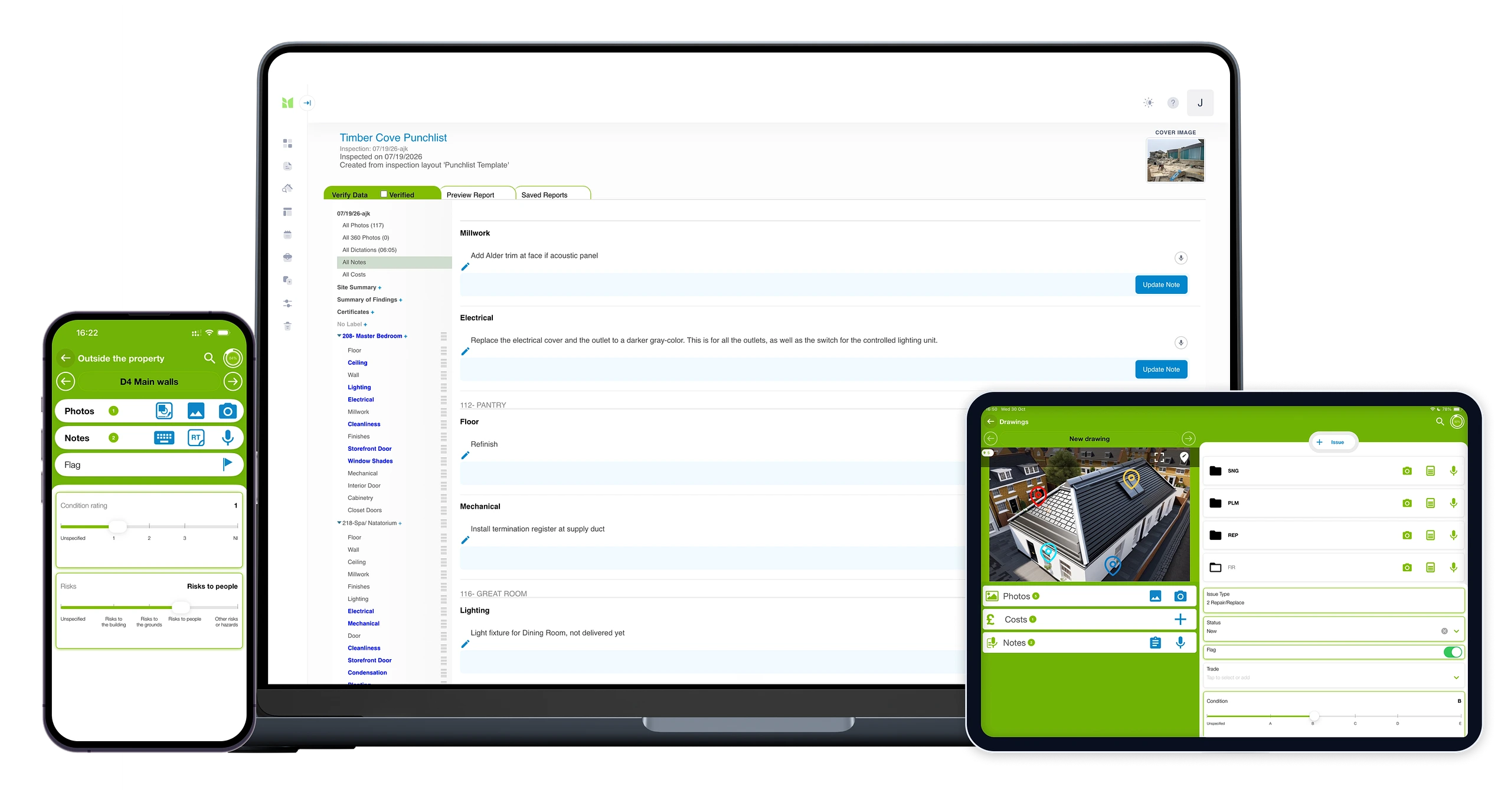
The Imfuna construction app on a phone and tablet: site capture with floor-plan issue pins and progress photos.
02Issued same day

Report from site

Daily reports and trade reports issued the same day, branded and consistent across visits, phases and teams.
  • Daily reports issued before you leave site
  • Trade reports cut the same record per contractor - nobody argues about whose snag it is
  • Branded and consistent across visits, phases and teams
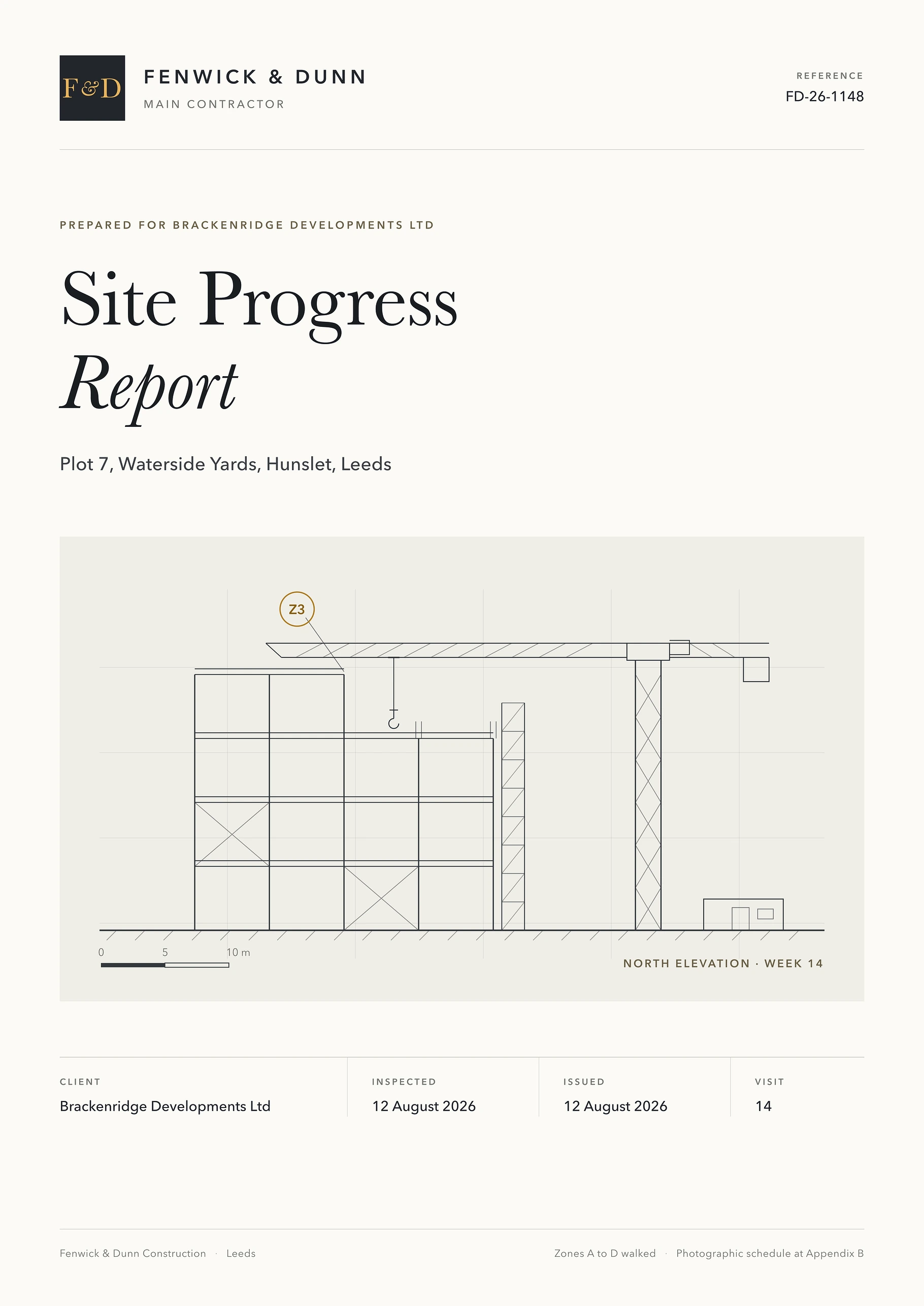
Cover page of a branded Site Progress report: the contractor's masthead, the plot address, an elevation drawing of the frame under construction with the tower crane, and the visit and issue details.
03Before & after, dated

Close out the snags

Reinspection comparison puts the original photo next to the new one - handover evidence that the defect list actually got shorter.
  • Reinspection puts the original photo next to the new one, dated
  • Photo markup in the browser where the evidence needs pointing out
  • Reports frozen on generation - a handover file that outlasts the defects liability period
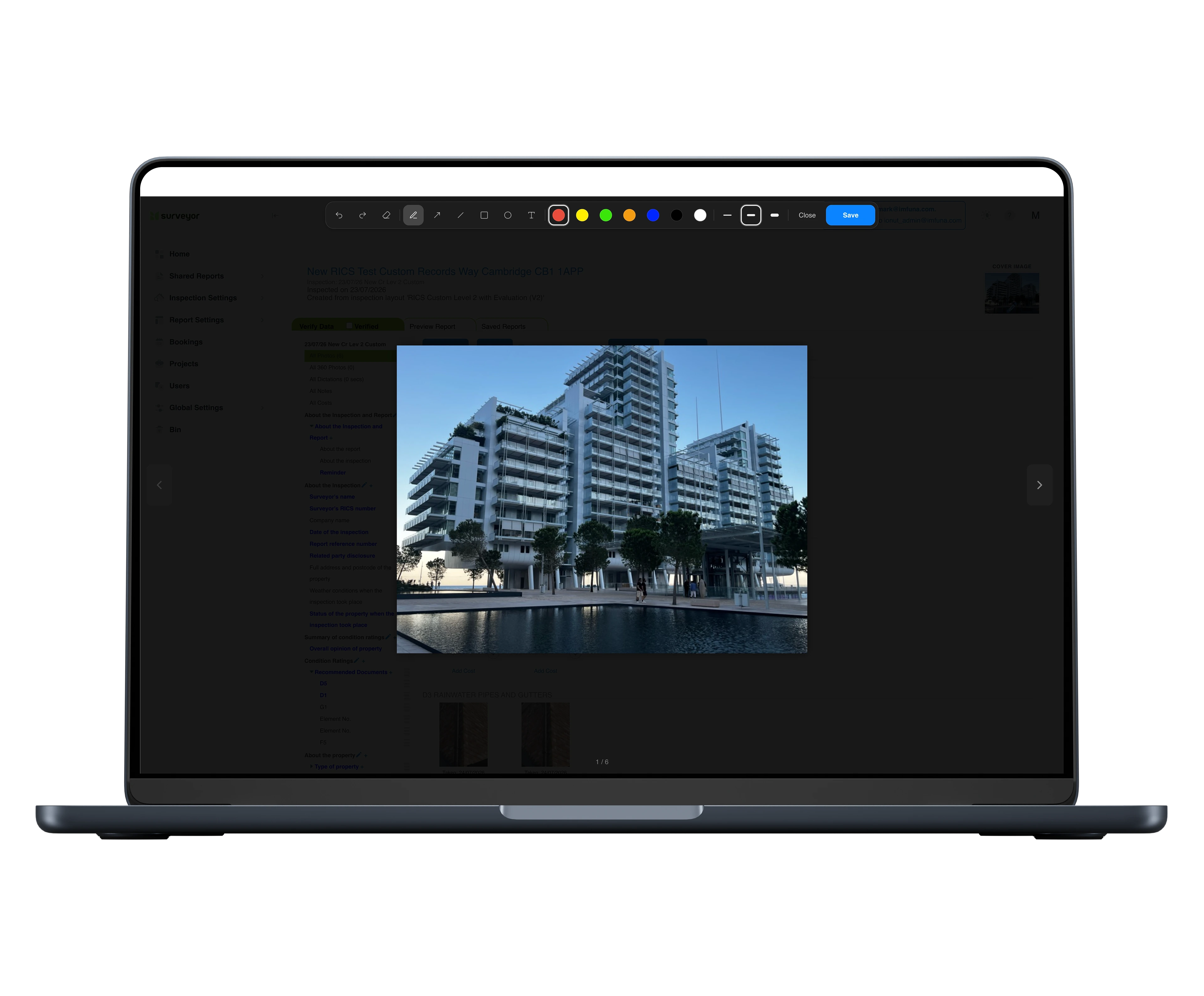
Photo markup in the browser: a site photo annotated with arrows and notes on the web platform.
04One system, every site

Run every site from one place

Bookings and the team's diary live on the web platform, role-based access brings subcontractors into the same record, and every site's progress, snags and reports stay centralised across projects.
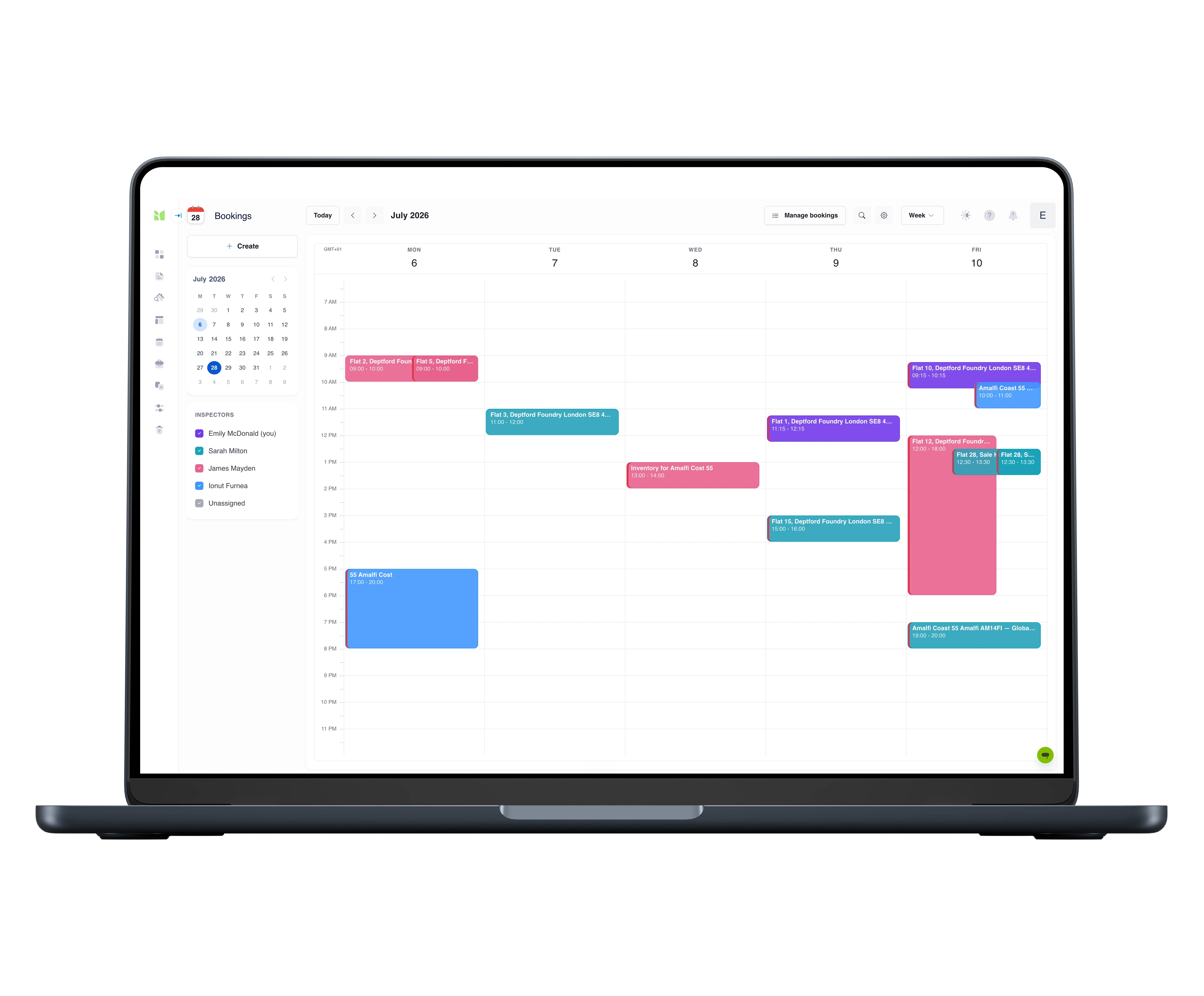
  • Bookings and the team's diary on the web platform
  • Role-based access - your team and subcontractors in the same record
  • Every site's progress, snags and reports centralised across projects
The bookings calendar on a laptop, week view: inspections colour-coded per inspector across the week, with the inspector list and show/hide toggles in the sidebar and a mini month calendar for navigation.

Templates & workflows

A report for every stage of the build.

From groundworks to handover, every visit has a format - predefined for the project lifecycle, or built to match how your site actually reports.

Every template is fully customisable - structure, wording, branding - and your reports carry your identity, not ours.

The tools for the job

Field capture
Field capturePhone & tablet · iOS & Android

Native iOS and Android capture for the site, on phone or tablet: progress photos, floor-plan issue pins by trade, dictated observations and daily reporting - built to work offline behind the hoarding.
Web platform

Web platform

Web platform

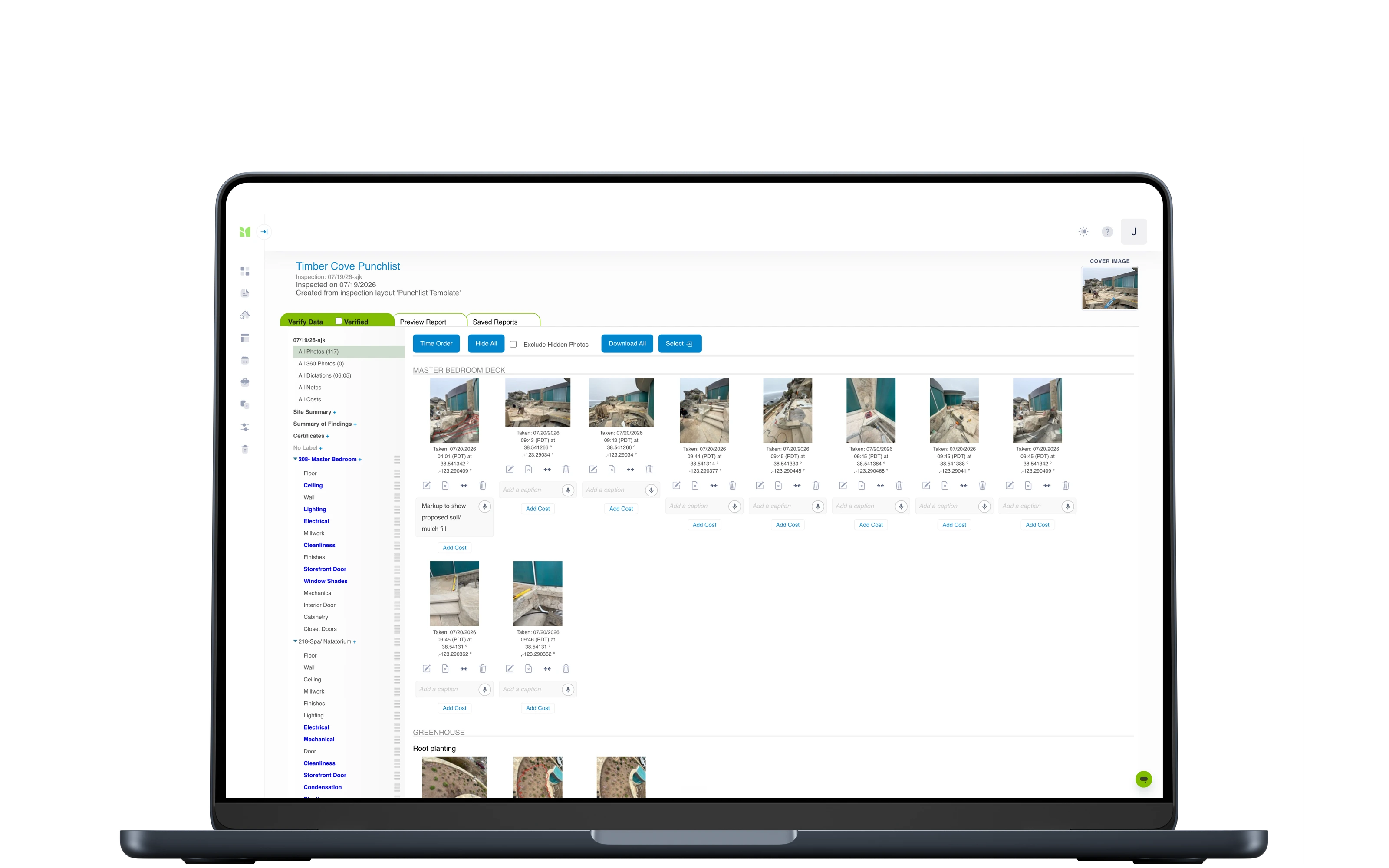
Everything behind the site work: bookings and the team's diary, review and edit what was captured, mark up photos in the browser, and issue branded daily, trade and snagging reports - frozen on generation, with originals kept for seven years.
Portfolio dashboard

Portfolio dashboard

Web platform

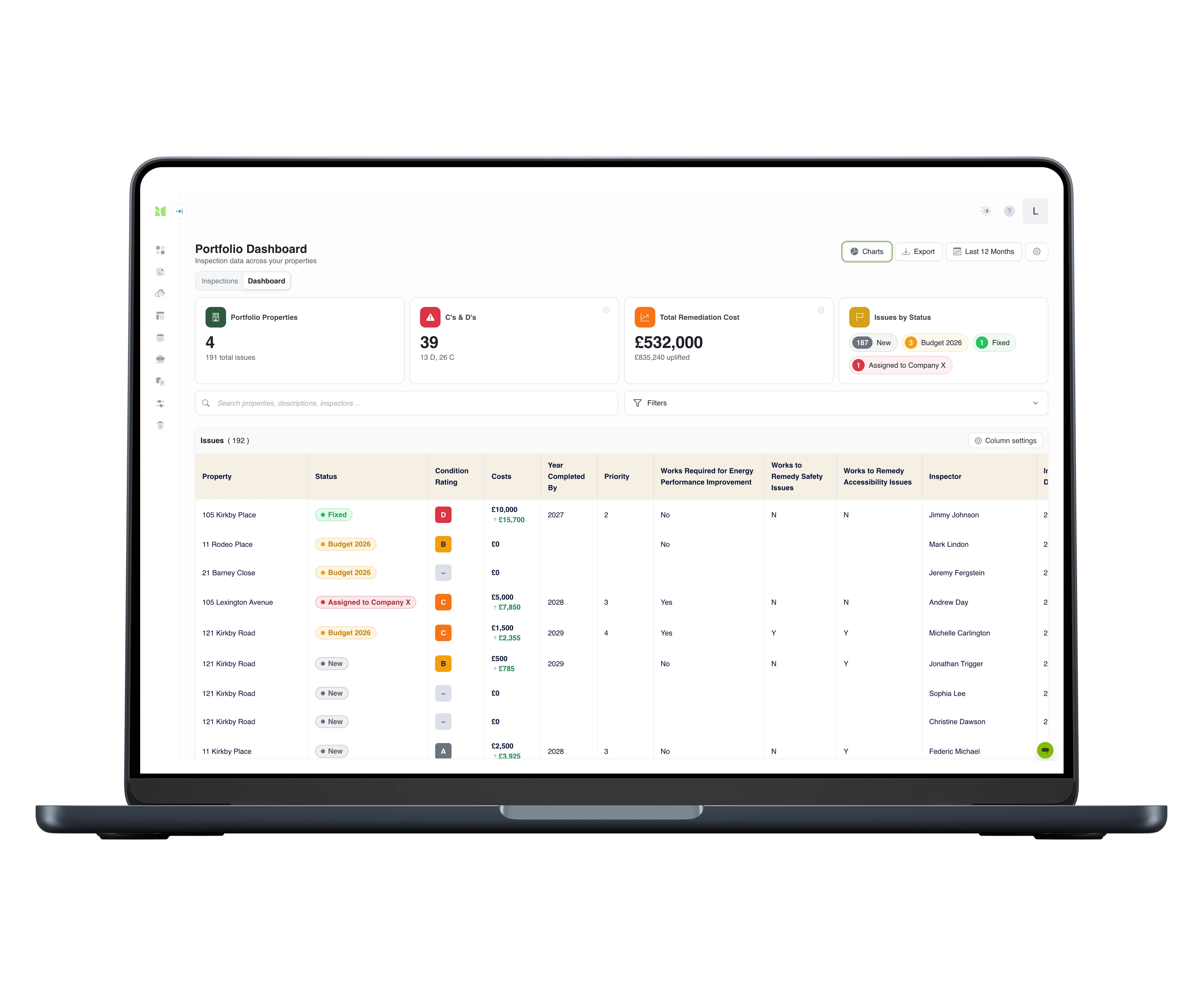
Every flagged issue from every inspection in one grid: severity grades A–D, remediation costs, configurable statuses with a full activity history, charts by any dimension, Excel export with the audit trail, and a branded PDF portfolio report - each row deep-linked to its photo evidence.
Compliance dashboard

Compliance dashboard

Web platform

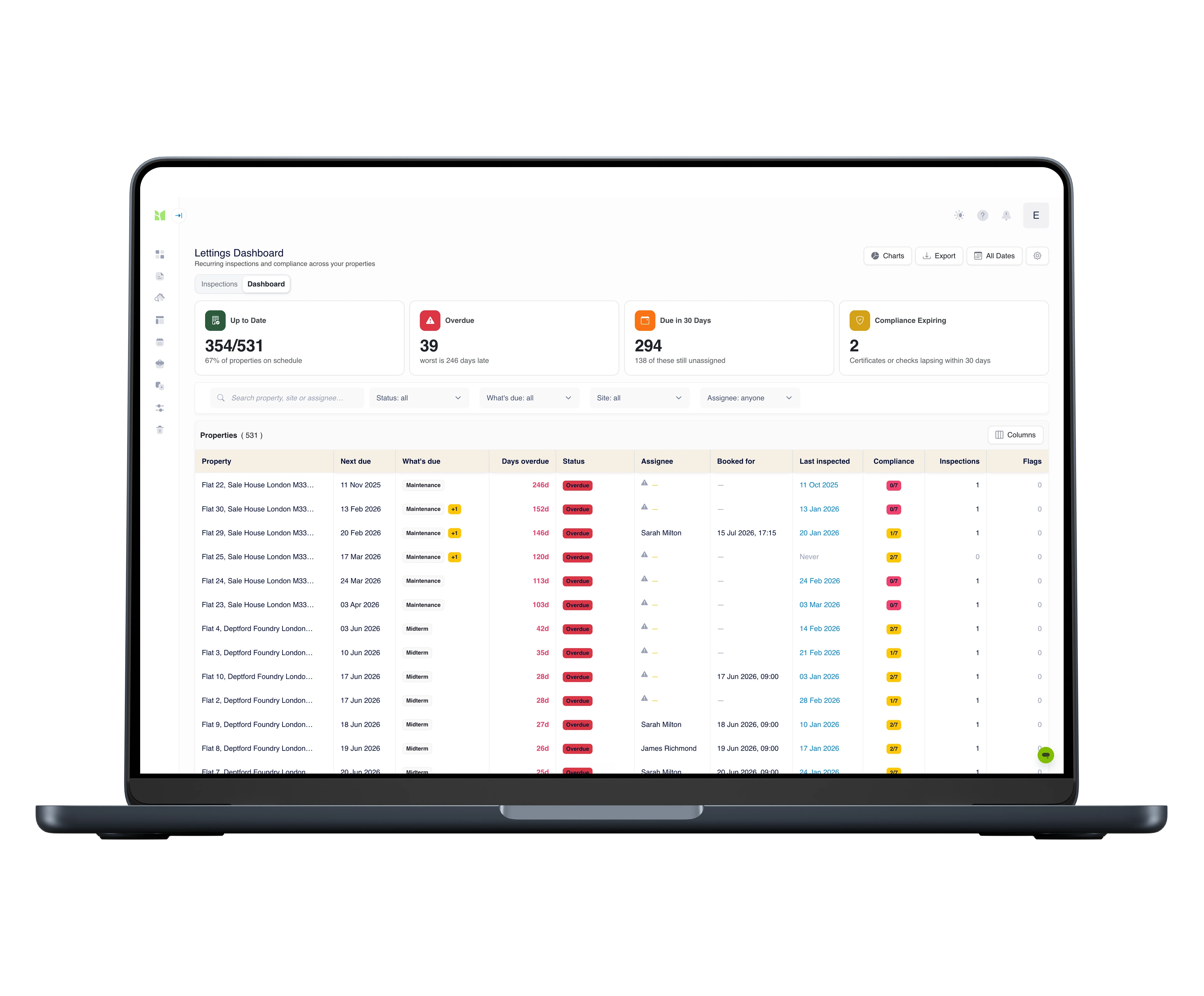
For the scheduled side of the workload: every property on one screen - which inspection is next due, who is assigned, how many days overdue, and which statutory checks are still in date. Assign from the dashboard and a real booking goes into the team's bookings calendar.

Brings incredible efficiency and accuracy to a process which has historically been inefficient and fraught with error.
Jax Kneppers - JKA Construction Consultants
Same day
daily and trade reports issued before you leave site
On the plan
every defect pinned to a location, not just described
Then · now
close-out proven by dated before-and-after photos
7 years
reports frozen on generation, originals kept

The record they rely on

Independent inspectors, national agencies and institutional landlords run their inspections on Imfuna.


Leviat - a CRH companyJax Kneppers Associates

Questions contractors ask us

We run the site on messages and a spreadsheet. Why change?
Because when rework is disputed, a chat thread doesn't decide who pays - a record does. Pinned, dated, photographed punch items with a reinspection trail settle the argument before it becomes one.
Can subcontractors work in it?
Yes. Role-based access lets your own team and contractors capture in the same record, with permissions controlling who sees and edits what - one punch list all parties work from.
How does closeout evidence work?
Every punch item carries its photo, location pin and dates; closeout reinspections show original beside fixed. The reports are frozen on generation and kept for seven years - a closeout file that is still there when the questions arrive.
Will it slow the walk?
The walk is the fast part and it stays that way: photos in seconds, dictation instead of typing, cloned zones for repeating layouts. The time it takes is the time the building deserves.
We report in our own format. Can you build it as a template?
Yes, two ways. The template builder is part of the web platform on every plan, and adjusting our library templates is part of getting set up. Or have us do it: send the report you issue today and an Imfuna specialist rebuilds it end to end - the site template your team captures with, and the branded report layout your clients receive - with the first version typically within five working days and three versions included, as a one-off at $675. See the custom template build service.
How easy is it to get started?
Sign up and you are in a 14-day free trial with full access, no credit card required. Daily report, site progress, punch list and reinspection structures are already in the library - open a template and start. And setup is not left to you: live online onboarding training for your whole team is included on every plan, with live chat inside the platform when a question comes up.
Is training included?
Yes, on every plan: live online onboarding training for your whole team, plus start-up videos and live chat inside the platform. And it is not a one-off - when someone joins the team mid-subscription, they can request the same onboarding at any time, so new starters never learn the system second-hand. On Enterprise, on-site training at your offices can be scoped into your quote.
Can we try it on a live site first?
Yes. Every new account starts with a 14-day free trial with full access and no credit card required - so there is nothing to cancel if it is not for you. Walk a real site during the trial and judge Imfuna on your own workflow, not a demo script. When you are ready, you choose a plan on your subscription page; and if the trial passed you by unused, support will look at an extension.

See Imfuna on your own sites

A live demo takes 30 minutes: we look at how you work today and show how it runs in Imfuna.

Start free trial

One useful email a month.

Regulation changes, inspection practice, product updates - written for your line of work, not everyone's. No noise, unsubscribe any time.